
Cloud Landing Zones Checklist: Stop Architecture Drift Before It Costs You
A landing zone is not a one-time setup but a dynamic baseline that prevents configuration drift from creating invisible security gaps across your cloud accounts.
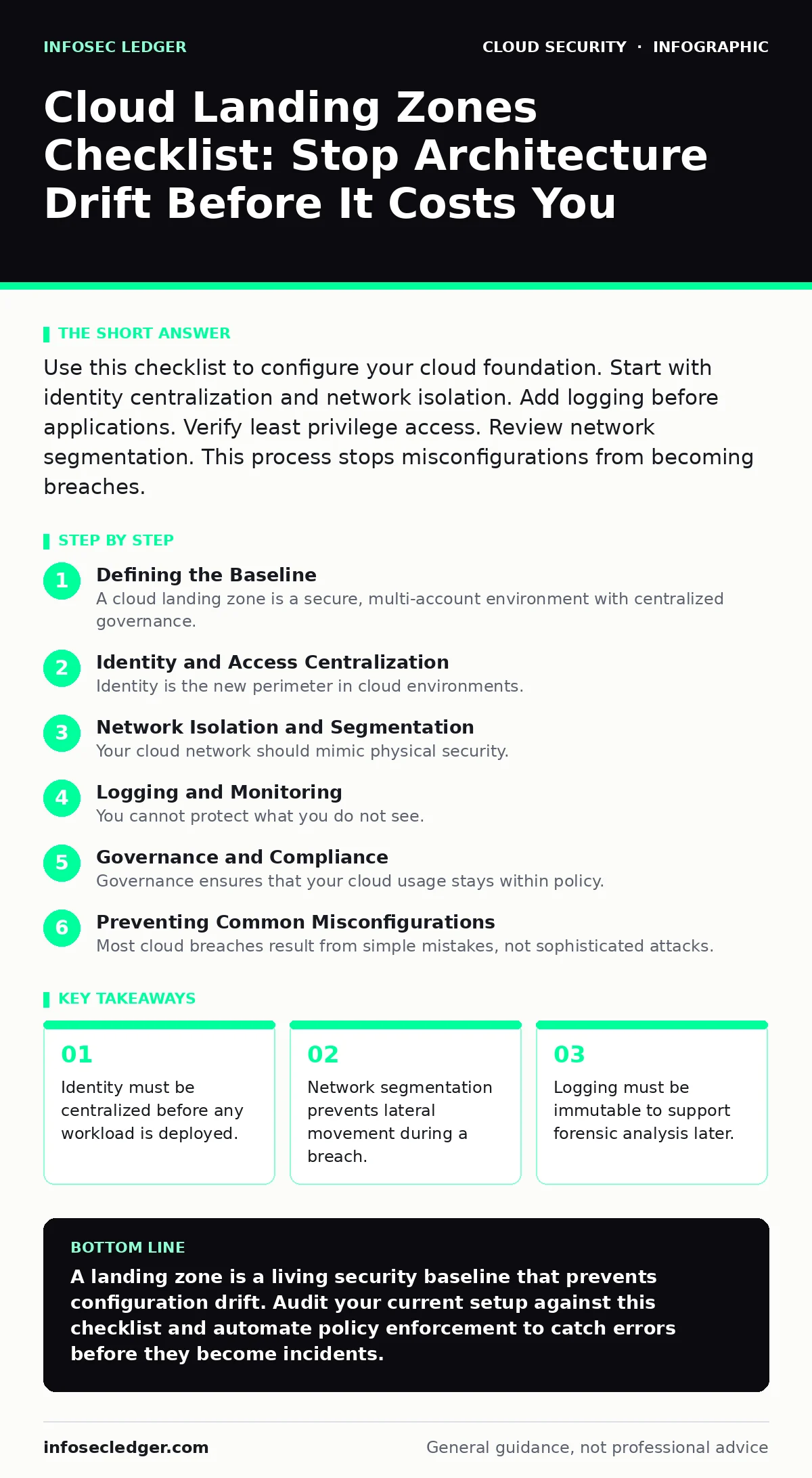
Use this checklist to configure your cloud foundation. Start with identity centralization and network isolation. Add logging before applications. Verify least privilege access. Review network segmentation. This process stops misconfigurations from becoming breaches.
Defining the Baseline
A cloud landing zone is a secure, multi-account environment with centralized governance. It acts as the foundation for all your cloud workloads. You build it once, then deploy applications into it. Without this foundation, teams create ad-hoc accounts that lack security controls. This leads to configuration drift, where settings diverge from your security policy over time. Drift creates blind spots that attackers exploit. This checklist helps you verify that your base is solid. Use it before deploying any production workload. It also serves as an audit trail for compliance reviews.
Identity and Access Centralization
Identity is the new perimeter in cloud environments. You must manage access centrally rather than per-account. If you do not centralize identity, you cannot revoke access quickly when an employee leaves or a device is lost.
- Enable single sign-on: One set of credentials reduces the attack surface and simplifies password management.
- Enforce multi-factor authentication: This stops attackers who have stolen passwords from accessing your accounts.
- Use role-based access control: Users get only the permissions they need for their specific job functions.
- Separate break-glass accounts: These emergency accounts are stored offline and used only when normal access fails.
Imagine a developer leaves the company. If their personal account had direct access to production databases, they could take data with them. Centralized identity allows you to disable that account instantly from one place. This connects to principles in cloud identity governance, which ensures permissions are reviewed regularly.
Network Isolation and Segmentation
Your cloud network should mimic physical security. You want locked rooms, not one large open hall. Segmentation limits the damage if an attacker breaches one part of your system.
- Create management accounts: Isolate administrative functions from application workloads to protect control planes.
- Segment production from development: Different security rules apply to test environments than to live services.
- Implement virtual private clouds: These isolated networks prevent unauthorized access from the public internet.
- Control east-west traffic: Monitor communication between servers inside your network, not just at the edge.
Many teams focus only on north-south traffic, which is data entering or leaving the network. They ignore east-west traffic, which moves between internal servers. Attackers often move laterally inside the network after an initial breach. Blocking unnecessary internal connections makes this movement difficult. This approach supports cloud-native security by securing the platform itself.
Logging and Monitoring
You cannot protect what you do not see. Logging provides the evidence needed to detect and investigate incidents. However, logs are useless if they can be altered or deleted by an attacker.
- Centralize log collection: Aggregate logs from all accounts into one secure location for easier analysis.
- Enable immutable storage: Write logs to a location where no one, including administrators, can delete or change them.
- Set up alerting for anomalies: Notify security teams when unusual activity, like mass data downloads, occurs.
- Protect cryptographic keys: Use hardware security modules to manage keys, preventing exposure of secrets in source code.
Suppose an attacker compromises a server. If logs are stored on that same server, they can delete evidence of their presence. Immutable storage keeps logs safe even if the source system is destroyed. This is critical for effective cloud incident response, as you need accurate data to understand the scope of the breach.
Governance and Compliance
Governance ensures that your cloud usage stays within policy. It prevents sprawl, where unused resources waste money and increase risk.
- Define tagging standards: Tags help you identify who owns each resource and what it is used for.
- Enforce data residency rules: Keep data in specific geographic regions to meet legal and contractual obligations.
- Automate policy checks: Use tools to scan for misconfigurations and block non-compliant deployments before they launch.
- Review access permissions quarterly: Remove unnecessary privileges to reduce the risk of insider threats.
Data residency laws vary by industry and location. Storing customer data in the wrong region can lead to legal penalties. Automated checks ensure that new workloads comply with these rules automatically. This relates to data residency strategies that balance legal requirements with operational flexibility.
See also: Data Residency Explained: Where Your Files Actually Live · CASB for Small Business: Control Cloud Access Without the Headache
Preventing Common Misconfigurations
Most cloud breaches result from simple mistakes, not sophisticated attacks. Your landing zone should prevent these errors by default.
- Disable default public access: Services should be private unless explicitly opened for a specific purpose.
- Encrypt data at rest: Use encryption to protect stored data from physical theft or unauthorized access.
- Scan for exposed interfaces: Regularly check for open ports or dashboards that should be hidden.
- Monitor for cryptojacking: Detect unauthorized use of compute resources for cryptocurrency mining.
Imagine a developer accidentally leaves a database open to the internet. Automated policies can detect this and shut it down immediately. This prevents the kind of exposure seen in incidents involving exposed Kubernetes dashboards. It also stops cloud cryptojacking, where attackers use your servers to mine cryptocurrency, wasting resources and masking their presence.
Key takeaways
- Identity must be centralized before any workload is deployed.
- Network segmentation prevents lateral movement during a breach.
- Logging must be immutable to support forensic analysis later.
A landing zone is a living security baseline that prevents configuration drift. Audit your current setup against this checklist and automate policy enforcement to catch errors before they become incidents.
Frequently asked questions
How often should I review my landing zone?
Review it quarterly or after major changes. Cloud services evolve rapidly, and new vulnerabilities may require updated controls.
Can I use this checklist for hybrid cloud?
Yes. The identity and logging principles apply equally to on-premises and cloud environments. Ensure consistent policies across both.
What if I already have applications running?
Start with identity centralization and logging. You can add network segmentation gradually as you migrate or refactor applications.
Does this replace a security team?
No. It reduces the workload for security teams by automating baseline controls, allowing them to focus on advanced threats.
How this guide was produced: written by the InfoSec Ledger editorial team with AI assistance, checked against the public references listed below, and reviewed when the facts change. See our editorial policy or report an error.