Cryptojacking Warning Signs: Detect Hidden Mining Before It Costs You
Most cryptojacking infections leave no file traces, making power bills and fan noise the only reliable early indicators of a compromised system.
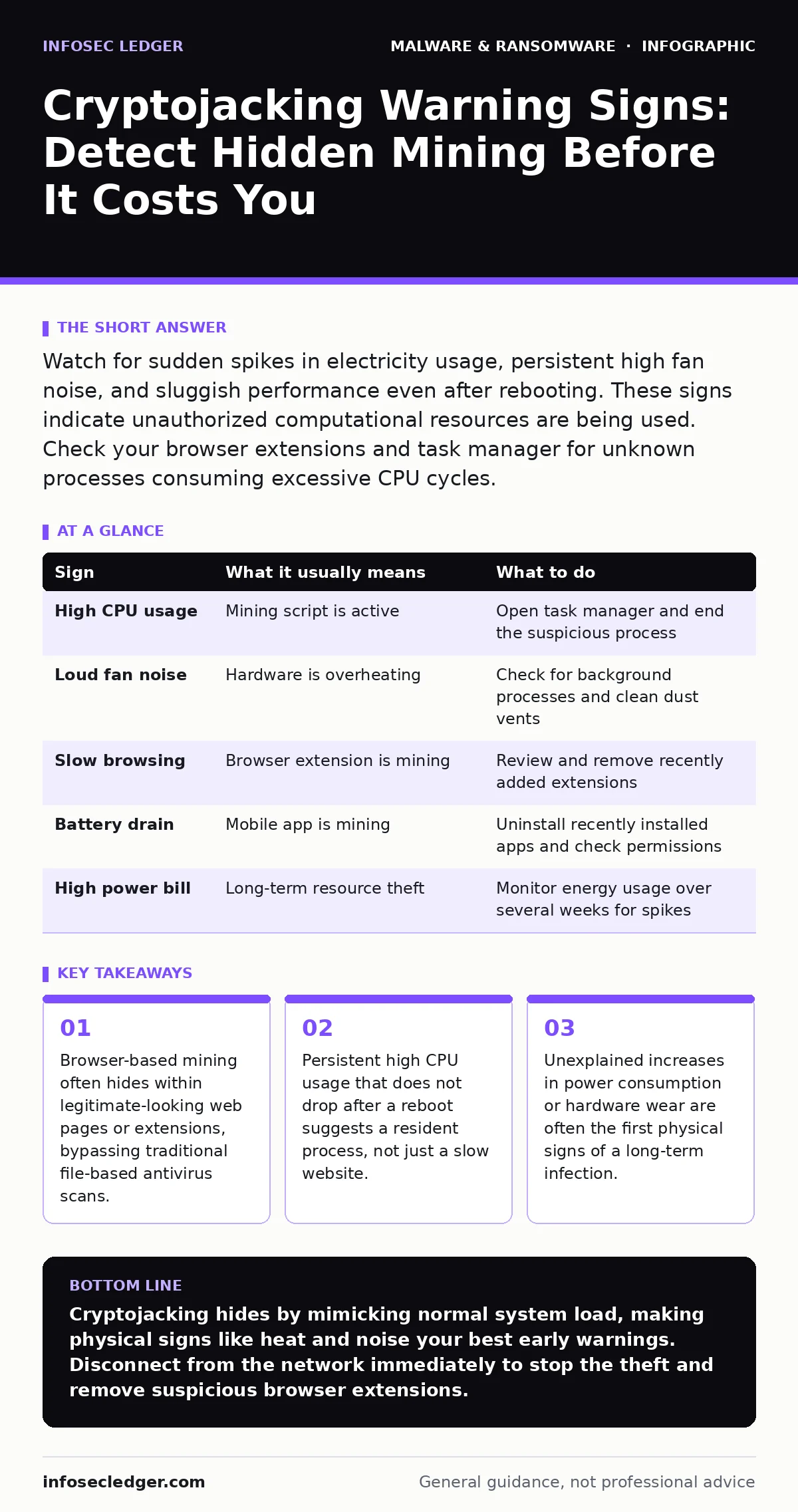
Watch for sudden spikes in electricity usage, persistent high fan noise, and sluggish performance even after rebooting. These signs indicate unauthorized computational resources are being used. Check your browser extensions and task manager for unknown processes consuming excessive CPU cycles.
The Silent Resource Drain
Cryptojacking is the unauthorized use of your computing resources to mine cryptocurrency. Unlike ransomware, which locks your files and demands payment, cryptojacking aims to remain invisible. The attacker wants your processor to work as hard as possible for as long as possible. This generates profit for them while degrading your system performance. You may not notice the theft immediately because the malware often throttles itself. It reduces its intensity when you are actively using the computer to avoid detection. This stealth behavior makes it distinct from other threats like scareware, which relies on fear to trigger immediate action.
Obvious Performance Degradation
The first signs you notice usually involve speed. Your computer becomes sluggish during routine tasks. Opening a web browser or launching an application takes longer than usual. This happens because the mining software consumes a significant portion of your CPU or GPU capacity. You might also experience stuttering in video playback or lag in online meetings. These symptoms mimic a computer that is simply old or overloaded with too many programs. However, the difference lies in the consistency. The slowdown persists even when you have few applications open. If you suspect this, check your task manager for processes using high percentages of your processor.
Physical Hardware Indicators
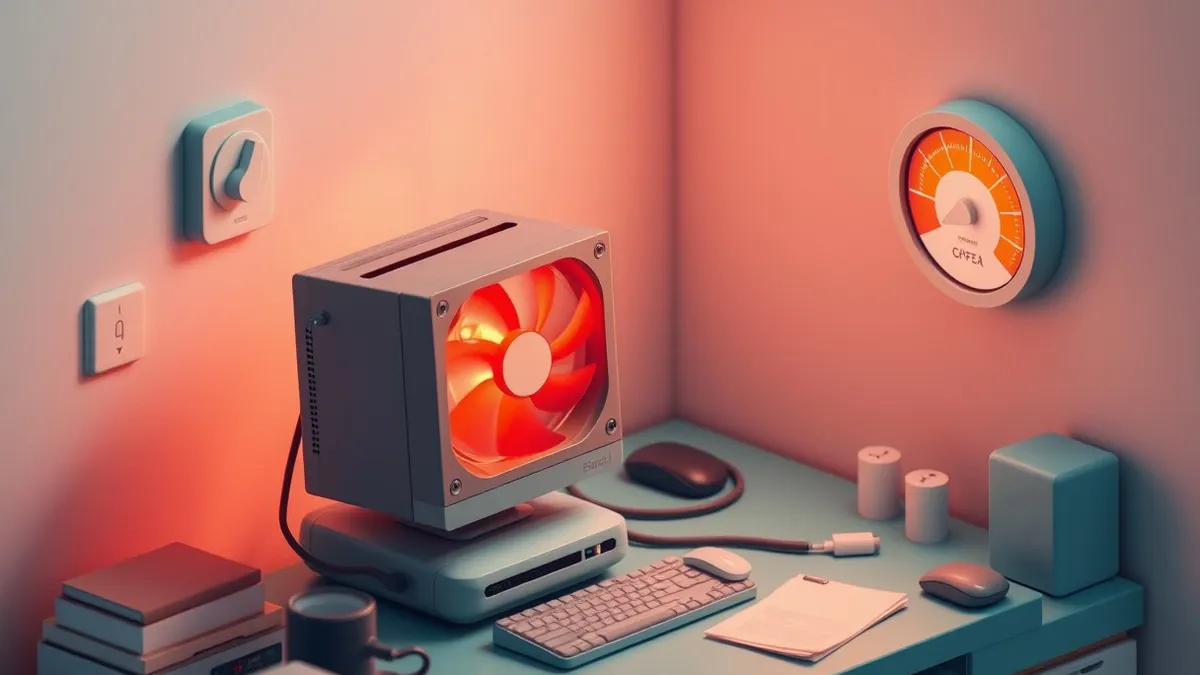
Your hardware reacts to the heat generated by constant computation. Listen for your computer fans spinning louder than usual. This noise occurs even when you are not running demanding applications like video editing software or games. Touch the chassis of your laptop or desktop. If it feels unusually warm, your components are working harder than they should. This excess heat reduces the lifespan of your hardware. It can lead to premature failure of fans, batteries, or motherboards. This physical wear is a hidden cost of cryptojacking that extends beyond data security. It turns your equipment into a consumable resource for the attacker.
The Subtle Signs You Miss
Some indicators are easy to overlook because they seem normal. A slight increase in your monthly electricity bill might go unnoticed. You might attribute it to seasonal changes or other appliances. Another missed sign is battery drain on mobile devices. If your phone gets hot and loses charge rapidly while idle, it could be running a mining script.
This is particularly common with malicious mobile apps that request excessive permissions. These apps often hide their activity behind legitimate functions. You might also see unexpected network traffic. The mining software must communicate with mining pools to send your work and receive rewards. This creates a steady stream of data that your firewall might not flag as malicious.
Browser-Based Infection Vectors
Many cryptojacking infections do not install anything on your hard drive. They run entirely within your web browser. This makes them difficult to detect with traditional antivirus software. The code executes when you visit a compromised website. It can also hide within browser extensions. You might install a legitimate-looking extension, such as a coupon finder or ad blocker, that contains mining code.
This is why browser hijackers and cryptojacking often overlap. The extension requests access to your browsing data. It uses that access to inject mining scripts into every page you visit. Removing the extension stops the mining, but the damage to your browser settings may remain.
| Sign | What it usually means | What to do |
|---|---|---|
| High CPU usage | Mining script is active | Open task manager and end the suspicious process |
| Loud fan noise | Hardware is overheating | Check for background processes and clean dust vents |
| Slow browsing | Browser extension is mining | Review and remove recently added extensions |
| Battery drain | Mobile app is mining | Uninstall recently installed apps and check permissions |
| High power bill | Long-term resource theft | Monitor energy usage over several weeks for spikes |
See also: How Private Browsing Works: The Mechanics and Limits · How Scareware Works: The Psychological Trap Step by Step
Immediate Response Steps
When you suspect cryptojacking, act quickly to stop the resource drain. First, disconnect the device from the network. This stops the mining software from sending data and receiving updates. Then, open your task manager or activity monitor. Look for processes with high CPU usage that you do not recognize. End these tasks immediately. Next, review your browser extensions.
Remove any that you did not install or do not trust. If the problem persists, run a full system scan. Use reputable security software to check for hidden files. Consider sandboxing your browser sessions in the future. This isolates web activity from your main operating system. It prevents scripts from accessing your core resources.
Preventing Future Infections
Prevention requires a layered approach. Keep your operating system and browser updated. Updates often patch vulnerabilities that miners exploit. Use an ad blocker. Many cryptojacking scripts are delivered through malicious advertisements. This reduces the risk of encountering SEO poisoning campaigns that push infected pages to the top of search results. Be cautious with free software. Many free tools bundle unwanted programs that include miners.
Read the installation screens carefully. Opt out of additional software offers. Finally, monitor your system regularly. Set up alerts for unusual CPU or network activity. This helps you catch infections before they cause significant hardware wear. Understanding file hashes in malware detection can also help you verify the integrity of your system files. If a critical file has a different hash than expected, it may have been replaced by malicious code.
Key takeaways
- Browser-based mining often hides within legitimate-looking web pages or extensions, bypassing traditional file-based antivirus scans.
- Persistent high CPU usage that does not drop after a reboot suggests a resident process, not just a slow website.
- Unexplained increases in power consumption or hardware wear are often the first physical signs of a long-term infection.
Cryptojacking hides by mimicking normal system load, making physical signs like heat and noise your best early warnings. Disconnect from the network immediately to stop the theft and remove suspicious browser extensions.
Frequently asked questions
Can cryptojacking steal my passwords?
No, cryptojacking focuses on using your processing power for mining. It does not typically target personal data or credentials, though the same attack vector could deliver other malware.
Does antivirus software detect cryptojacking?
Modern antivirus solutions can detect many known cryptojacking scripts. However, browser-based mining that does not install files may bypass traditional file-based detection methods.
Is it safe to use a laptop while it is infected?
It is not recommended. The excessive heat and power usage can damage your hardware. It also slows down your work and increases your electricity costs.
Can a virus remove cryptojacking from my computer?
No, a virus cannot remove malware. You need dedicated security software or manual removal steps to eliminate the mining scripts and associated extensions.
How this guide was produced: written by the InfoSec Ledger editorial team with AI assistance, checked against the public references listed below, and reviewed when the facts change. See our editorial policy or report an error.