
Malicious Mobile Apps: Debunking 6 Common Security Myths
Mobile malware often hides inside legitimate-looking applications and exploits permission models rather than relying on obvious visual warnings or system crashes.
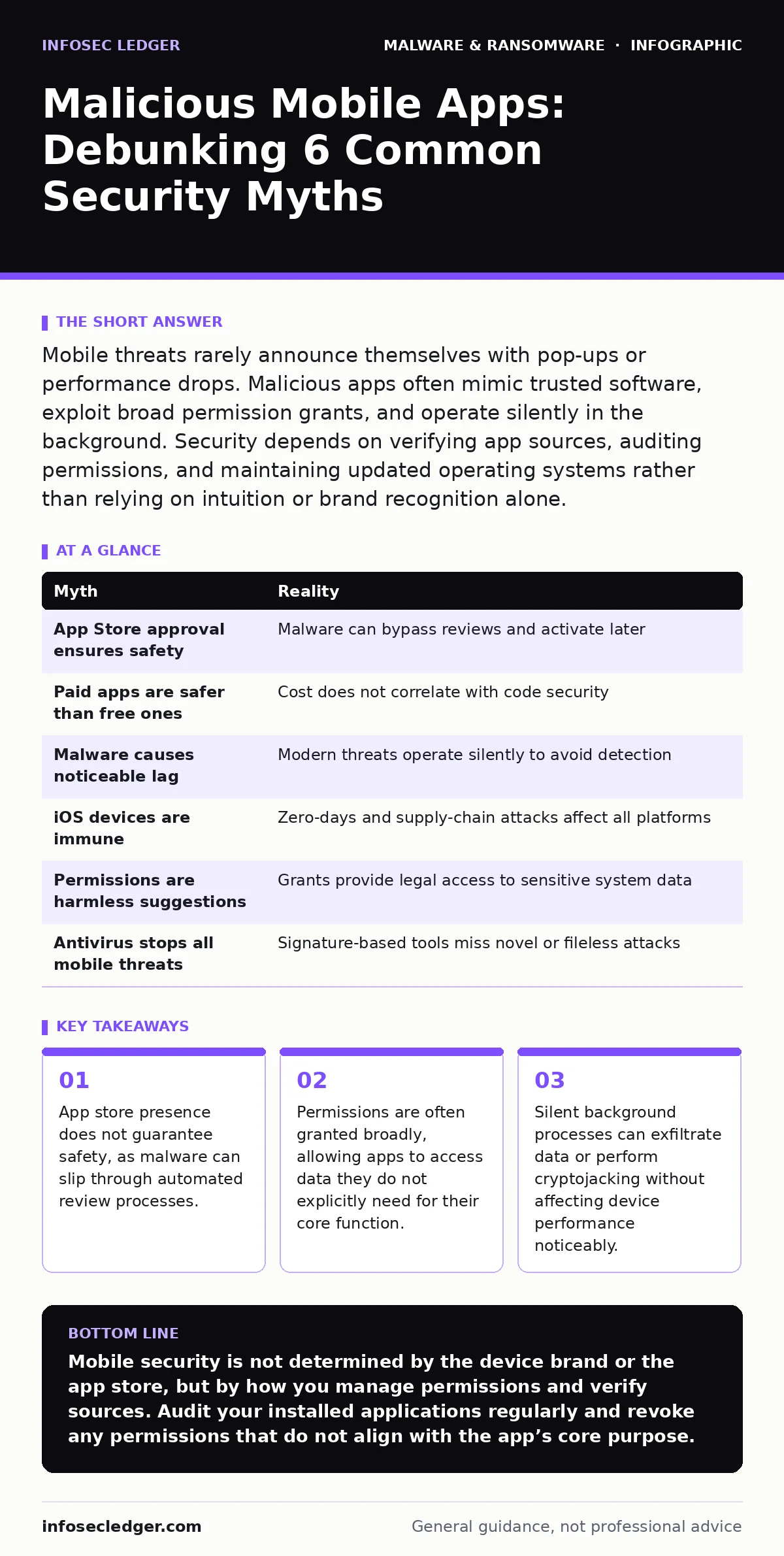
Mobile threats rarely announce themselves with pop-ups or performance drops. Malicious apps often mimic trusted software, exploit broad permission grants, and operate silently in the background. Security depends on verifying app sources, auditing permissions, and maintaining updated operating systems rather than relying on intuition or brand recognition alone.
Myth: App Store Approval Equals Safety
Reality: Major application marketplaces use automated scanning and manual review, but these processes are not infallible. Attackers frequently use obfuscation techniques to hide malicious code during the review period. Once approved, the app can download additional payloads or activate dormant functions. This behavior mirrors how scareware often disguises itself as legitimate security tools to bypass initial scrutiny. You cannot assume an app is safe simply because it passed a store’s quality gates. The review process checks for policy violations and known signatures, not necessarily for novel, stealthy exploits.
Myth: Free Apps Are the Only Danger
Reality: Cost is not a reliable indicator of security posture. Paid applications often contain more complex features, increasing their attack surface. Developers of paid apps may also have fewer resources dedicated to security audits compared to large commercial entities.
Attackers target high-value users who pay for specialized tools, embedding logic bombs that trigger under specific conditions. A paid app might request excessive permissions to justify its price point, such as full device access for "premium support." You should evaluate the necessity of permissions regardless of whether you paid for the application. The financial transaction does not sanitize the code.
Myth: Malware Always Slows Down Your Device
Reality: Modern mobile malware is designed to be resource-efficient to avoid detection. Unlike older viruses that consumed CPU cycles aggressively, current threats focus on data exfiltration or silent ad injection. Cryptojacking scripts on mobile devices are often throttled to blend in with normal background activity.
You might notice a slight increase in battery drain, but performance remains largely unaffected. This stealth approach allows the malware to persist for months, harvesting contacts, messages, or location data. Relying on lag or heat as primary indicators of infection will leave you exposed. The threat is in the data loss, not the user experience.
Myth: Only Android Devices Are at Risk
Reality: iOS devices are not immune to compromise, although the attack vectors differ. The closed ecosystem reduces the likelihood of sideloading malicious software, but zero-day exploits and supply-chain attacks still occur. Attackers may target the app review process to get malicious code signed by the platform provider.
Once installed, these apps can exploit vulnerabilities in the operating system or other native applications. Rootkits on mobile devices can gain deep system access, hiding their presence from standard security checks. Assuming your device is safe because of its brand ignores the reality of sophisticated, targeted attacks. Both major platforms require vigilant permission management.
Myth: Permissions Are Just Suggestions
Reality: When you grant permission, you are giving the app legal access to specific system resources. Many users click "Allow" without understanding the scope of data being accessed. An app requesting access to your camera, microphone, and contacts simultaneously is a significant red flag.
This behavior is similar to how browser hijackers expand their control beyond simple homepage changes to capture browsing history. The operating system trusts the app’s request once approved, allowing it to read or transmit that data. You can often revoke these permissions later, but the data may already be compromised. Treat each permission as a separate security boundary.
See also: How Scareware Works: The Psychological Trap Step by Step · Browser Hijackers: How They Bypass Defenses and Steal Data
Myth: Antivirus Software Provides Complete Protection
Reality: Mobile security apps rely heavily on signature databases and heuristic analysis. They are effective against known threats but struggle with new, fileless, or obfuscated malware. Sandboxing techniques help contain risky apps, but they are not always enabled by default or fully effective against sophisticated exploits. An antivirus solution cannot prevent you from granting excessive permissions to a malicious app. It also cannot detect social engineering attacks that trick you into installing harmful software. Relying solely on a security app creates a false sense of security. You must combine technical controls with careful user behavior.
| Myth | Reality |
|---|---|
| App Store approval ensures safety | Malware can bypass reviews and activate later |
| Paid apps are safer than free ones | Cost does not correlate with code security |
| Malware causes noticeable lag | Modern threats operate silently to avoid detection |
| iOS devices are immune | Zero-days and supply-chain attacks affect all platforms |
| Permissions are harmless suggestions | Grants provide legal access to sensitive system data |
| Antivirus stops all mobile threats | Signature-based tools miss novel or fileless attacks |
The Hidden Cost of Convenience
Reality: The convenience of one-click installations and automatic updates introduces hidden risks. You often delegate security decisions to algorithms that may not prioritize your specific threat model. SEO poisoning can direct you to malicious app pages that mimic legitimate ones, bypassing your intent to download safe software. Once installed, these apps can integrate deeply into your digital life, accessing emails, photos, and financial data. The trade-off for ease of use is a reduced ability to inspect what you are installing. You must actively verify the source and reputation of every application.
Key takeaways
- App store presence does not guarantee safety, as malware can slip through automated review processes.
- Permissions are often granted broadly, allowing apps to access data they do not explicitly need for their core function.
- Silent background processes can exfiltrate data or perform cryptojacking without affecting device performance noticeably.
Mobile security is not determined by the device brand or the app store, but by how you manage permissions and verify sources. Audit your installed applications regularly and revoke any permissions that do not align with the app’s core purpose.
Frequently asked questions
How can I tell if an app is using my camera or microphone without my knowledge?
Most modern operating systems display an indicator, such as a green dot, when the camera or microphone is in use. If you see this indicator and are not actively using an app that requires it, close the app and check its permissions.
Should I disable automatic app updates for security?
No, automatic updates are generally safer because they patch known vulnerabilities quickly. Disabling them leaves you exposed to exploits that have already been fixed by the developer. Instead, ensure updates come from official sources.
What is the risk of sideloading apps from outside official stores?
Sideloading bypasses the platform’s security checks, increasing the risk of installing malware. These apps may not receive automatic security updates and can request unrestricted access to your device. Only sideload if you trust the source implicitly.
Can a malicious app steal my bank credentials?
Yes, if you grant it permission to overlay other apps or access your clipboard. Some malware uses overlay attacks to capture login details as you type them. Always ensure your device OS is updated to mitigate these overlay vulnerabilities.
How this guide was produced: written by the InfoSec Ledger editorial team with AI assistance, checked against the public references listed below, and reviewed when the facts change. See our editorial policy or report an error.