
Detect Secrets in Source Code: Signals, Tools, and Blind Spots
Hardcoded credentials often survive code reviews because they resemble valid configuration strings, requiring pattern matching rather than human inspection to uncover.
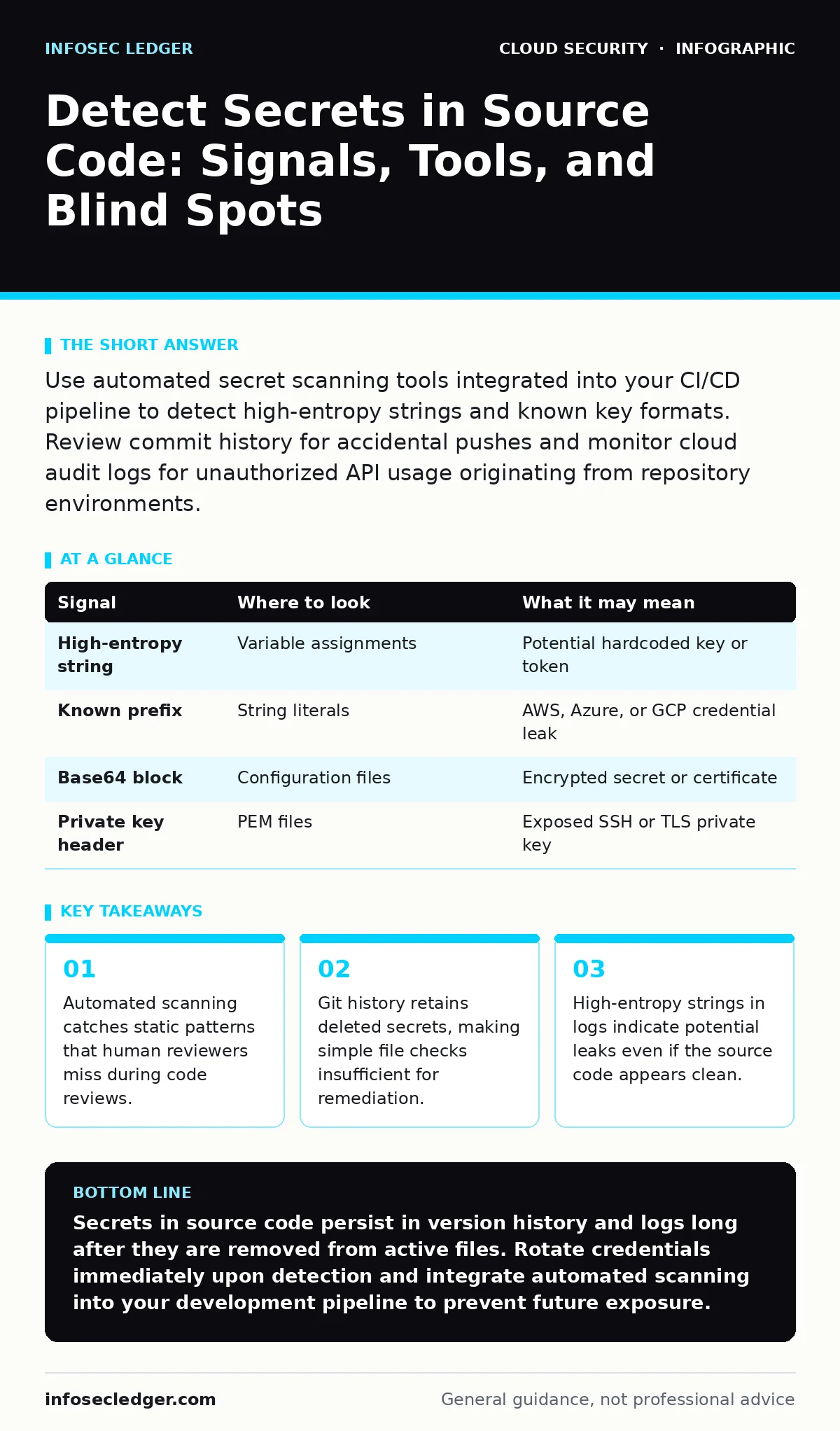
Use automated secret scanning tools integrated into your CI/CD pipeline to detect high-entropy strings and known key formats. Review commit history for accidental pushes and monitor cloud audit logs for unauthorized API usage originating from repository environments.
Identifying Static Patterns in Repositories
Secrets in source code rarely look like random noise. They often mimic configuration values, environment variables, or API endpoints. Attackers and accidental leaks share a common trait: the secret must be usable by the application. This creates a predictable structure. You look for strings that match known cryptographic key formats, such as base64-encoded blocks or hexadecimal sequences of specific lengths.
Static Application Security Testing (SAST) tools scan your codebase for these patterns. They do not execute the code. Instead, they parse the text against a library of regex rules and entropy heuristics. Entropy measures the randomness of a string. A password like "password123" has low entropy. A 256-bit AES key has high entropy. Tools flag high-entropy strings that appear in assignment statements or string literals.
| Signal | Where to look | What it may mean |
|---|---|---|
| High-entropy string | Variable assignments | Potential hardcoded key or token |
| Known prefix | String literals | AWS, Azure, or GCP credential leak |
| Base64 block | Configuration files | Encrypted secret or certificate |
| Private key header | PEM files | Exposed SSH or TLS private key |
Tracing Evidence in Version Control History
Deleting a secret from the current file does not remove it from the repository. Git and other version control systems store every change as a snapshot. If you push a secret, then delete it in a subsequent commit, the secret remains in the history. Anyone with read access can reconstruct the file from past commits.
This is a common blind spot. Teams often believe that removing the line fixes the problem. It does not. The secret is still accessible via the commit hash. You must scrub the history or rotate the credential immediately. Rotating the credential is the immediate containment step. Scrubbing the history prevents future exposure if the repository becomes public or if an insider accesses old commits.
Monitoring Runtime Logs for Leakage
Secrets often leak into logs when applications print debug information. Developers may log variable values to troubleshoot issues. If a variable contains a database password or an API token, that secret now exists in your log aggregation system. Log files are often less protected than source code. They may be accessible to support staff, third-party vendors, or automated backup systems.
Search your logs for strings that match the patterns you identified in your source code. Look for high-entropy strings appearing in log entries around error messages or authentication failures. This indicates that the application is printing sensitive data. It also helps you identify where the secret is being used. If you see a token in the logs, you know which service is leaking it.
Detecting Behavioral Anomalies in Cloud Environments
A leaked secret is only dangerous if it is used. You can detect usage by monitoring cloud audit logs. Look for API calls that originate from unexpected IP addresses or user agents. If your application server is in Virginia, but an API call using your secret key comes from a residential IP in another country, that is an anomaly.
These tools help by correlating identity with behavior. Cloud Access Security Brokers (CASB) can monitor shadow IT and unauthorized data access. They sit between your users and cloud services, inspecting traffic for policy violations. While CASBs focus on SaaS applications, the principle applies to infrastructure secrets. You want to see who is using the credential and from where.
Imagine a developer accidentally commits a database password. An attacker finds it in a public GitHub repository. They connect to your database from a compromised laptop. Your cloud audit logs show a successful login from an IP address that has never connected before. The source code scan would have caught the commit. The log analysis catches the abuse.
Common Blind Spots in Detection
Many teams focus only on the main branch of their repository. They forget about feature branches, forks, or archived projects. Secrets often hide in these neglected areas. They also hide in documentation files, such as READMEs or example scripts. These files are rarely scanned by security tools because they are not executable code.
Another blind spot is environment variables. Teams often store secrets in environment variables to avoid hardcoding them. This is good practice. However, if the environment variable is printed in logs or if the deployment script exposes it, the secret is leaked. You must treat environment variables with the same scrutiny as hardcoded strings.
See also: Data Residency Explained: Where Your Files Actually Live · CASB for Small Business: Control Cloud Access Without the Headache
Integrating Shift-Left Security Practices
Prevention is more effective than detection. You should integrate secret scanning into your development workflow. This is part of shift-left security, where security checks happen early in the development process. Developers receive feedback before they merge their code. This reduces the time a secret is exposed.
Automated checks block merges that contain secrets. This creates a hard stop. Developers must remove the secret before proceeding. This prevents the secret from entering the main branch. It also educates developers on what constitutes a secret. Over time, this reduces the frequency of accidental commits.
Remediation and Rotation Strategies
Finding a secret is only the first step. You must assume the secret is compromised. Rotate the credential immediately. Generate a new key, password, or token. Update the application configuration to use the new secret. Then, remove the old secret from all places it was stored.
Do not reuse the old secret. Even if you scrub the history, the secret may have been cached by attackers or third-party services. Rotation invalidates the leaked credential. It cuts off the attacker's access. Document the incident. Review why the detection failed. Was the pattern missing from the scanner? Was the file excluded from the scan? Use the incident to improve your detection rules.
Key takeaways
- Automated scanning catches static patterns that human reviewers miss during code reviews.
- Git history retains deleted secrets, making simple file checks insufficient for remediation.
- High-entropy strings in logs indicate potential leaks even if the source code appears clean.
Secrets in source code persist in version history and logs long after they are removed from active files. Rotate credentials immediately upon detection and integrate automated scanning into your development pipeline to prevent future exposure.
Frequently asked questions
How do I scan old commits for secrets?
Use specialized tools that traverse the entire git history, not just the current working directory. These tools can identify commits that introduced secrets even if they were deleted later.
Can I use regex to find all secrets?
Regex is useful for known formats like API keys. It fails for high-entropy strings that do not match a specific pattern. Combine regex with entropy analysis for better coverage.
What if I find a secret in a public repository?
Rotate the credential immediately. Contact the platform support to request deletion of the commit if possible. Scrub the history to prevent future access.
Do I need to scan third-party libraries?
Yes. Third-party libraries may contain hardcoded credentials or dependencies that leak secrets. Include all dependencies in your scanning scope.
How this guide was produced: written by the InfoSec Ledger editorial team with AI assistance, checked against the public references listed below, and reviewed when the facts change. See our editorial policy or report an error.