
How Shift-Left Security Works: Mechanisms, Limits, and Hidden Costs
Moving security checks to the earliest development stages reveals flaws before they compile, but it also slows down the deployment pipeline if the tooling is not tuned for speed.
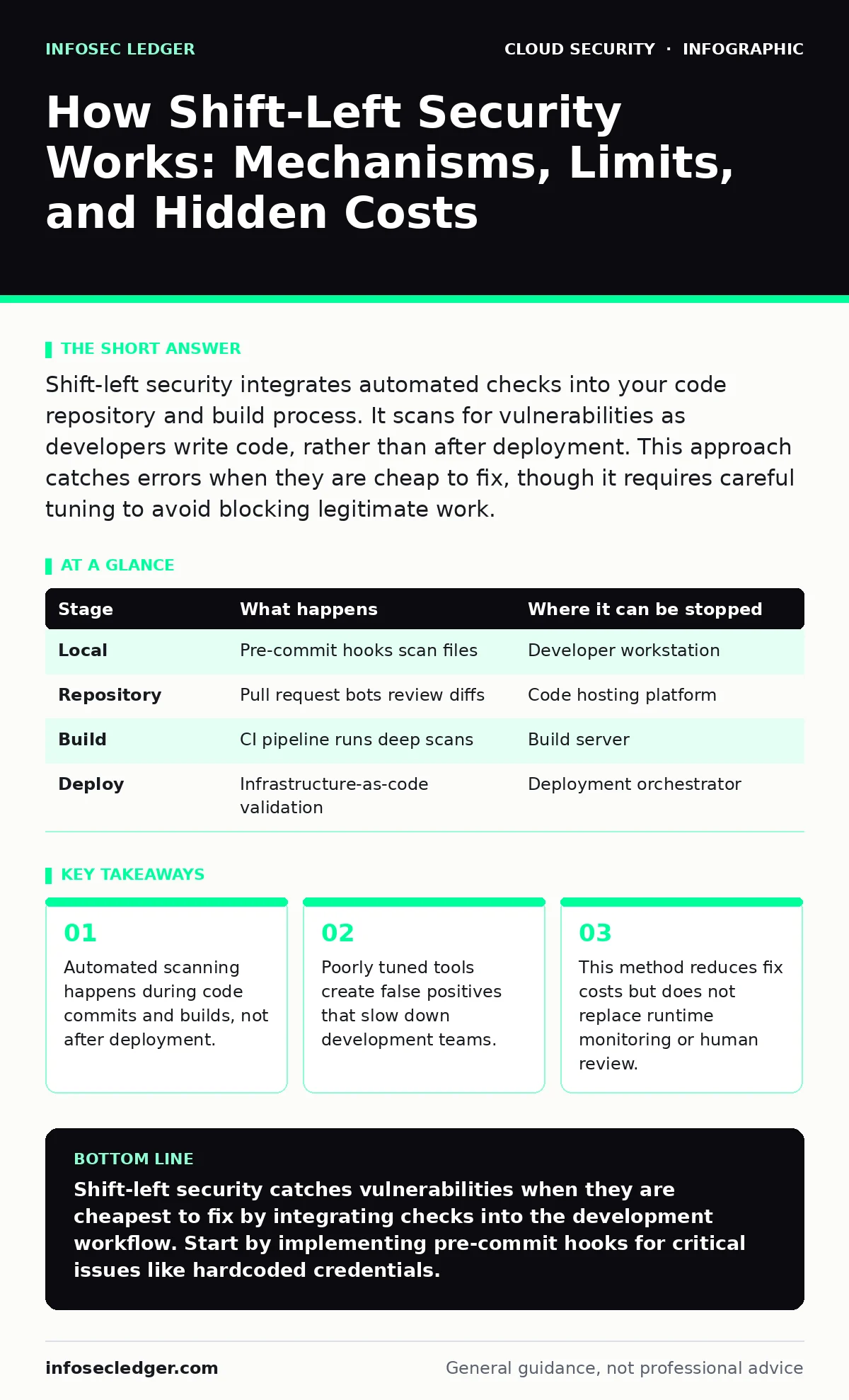
Shift-left security integrates automated checks into your code repository and build process. It scans for vulnerabilities as developers write code, rather than after deployment. This approach catches errors when they are cheap to fix, though it requires careful tuning to avoid blocking legitimate work.
The Cost of Late Discovery
Finding a vulnerability after an application is live is expensive. You must halt releases, roll back changes, and re-engineer the fix. The longer a flaw stays in the code, the more it interacts with other systems. This interaction creates complex dependencies that make the fix harder.
Shift-left security moves the detection phase earlier in the software lifecycle. It places checks at the point where the code is written. This timing change alters the financial and operational risk profile. You trade a small amount of development time for a large reduction in remediation effort.
Stage 1: Local Developer Enforcement
The process begins on the developer’s machine. Before code ever leaves the local environment, static analysis tools scan the files. These tools look for patterns that match known vulnerability signatures. They check for things like hardcoded credentials or insecure function calls.
This stage relies on pre-commit hooks. A hook is a script that runs automatically when a developer tries to save or commit code. If the hook finds a problem, it blocks the commit. This prevents bad code from entering the shared repository.
Stage 2: Repository Integration
Once code is committed, the repository itself can perform checks. Modern code hosting platforms allow you to define rules for pull requests. A pull request is a proposal to merge changes from one branch into another.
Automated bots review the proposed changes. They scan the diff, which is the list of lines that changed. They also run lightweight dynamic tests on the specific modules affected. This step ensures that no new vulnerabilities are introduced in the recent changes. It provides a safety net for code that passed local checks.
Stage 3: Continuous Integration Pipeline
The build server takes the code and attempts to compile it. This is where deeper scanning occurs. The pipeline runs more intensive static application security testing. It also performs software composition analysis to check third-party libraries.
Third-party libraries often contain known vulnerabilities. Your code may be secure, but the library you import might not be. The pipeline fails if it finds a high-severity issue in any dependency. This forces the team to update or replace the library before the build proceeds.
| Stage | What happens | Where it can be stopped |
|---|---|---|
| Local | Pre-commit hooks scan files | Developer workstation |
| Repository | Pull request bots review diffs | Code hosting platform |
| Build | CI pipeline runs deep scans | Build server |
| Deploy | Infrastructure-as-code validation | Deployment orchestrator |
Stage 4: Infrastructure Validation
Modern applications define their infrastructure in code. This practice allows the same shift-left principles to apply to servers and networks. Before the infrastructure is created, tools scan the configuration files.
They check for misconfigurations, such as open storage buckets or overly permissive firewall rules. This is critical because infrastructure errors are often harder to fix than code errors. Changing a server configuration in production carries higher risk than changing a line of application code.
See also: CASB for Small Business: Control Cloud Access Without the Headache · Stop Exposed Kubernetes Dashboards From Leaking Data
Stage 5: Pre-Deployment Simulation
Before the application goes to production, it runs in a staging environment. This environment mirrors production as closely as possible. Automated tests run against the running application.
These tests include dynamic analysis, which probes the application for runtime vulnerabilities. They also include chaos engineering, which intentionally breaks parts of the system to test resilience. If the application fails under stress, the pipeline stops. This ensures that only stable, secure code reaches users.
The Hidden Costs of Speed
Shift-left security is not free. It adds steps to the development process. Each scan takes time. If the scans are slow, the build pipeline becomes a bottleneck. Developers wait for results instead of writing new features.
There is also the cost of false positives. A false positive is a report of a vulnerability that does not exist. If the tools are not tuned correctly, they flag benign code as dangerous. Developers must investigate these false alarms. This investigation drains time and morale.
Limits and Remaining Gaps
Shift-left security cannot catch everything. It relies on known patterns and signatures. It cannot predict novel attacks or logic flaws that require human understanding of business context. It also cannot monitor runtime behavior in production.
Imagine a zero-day exploit that uses a method not yet documented in any database. A shift-left tool will not see it. It will only detect it if someone manually reviews the code or if runtime monitoring catches the anomalous behavior later.
You still need runtime protection. Tools like cloud access security brokers (CASB) monitor traffic and access patterns in real time. They catch threats that bypass the initial checks. Shift-left reduces the attack surface, but it does not eliminate it.
Integrating with Broader Strategy
Shift-left works best when combined with other controls. For instance, ensuring secrets in source code are never committed prevents credential leaks. This is a specific application of shift-left principles.
It also complements cloud-native security practices. By validating infrastructure code, you reduce the risk of exposed Kubernetes dashboards or misconfigured storage. These are common entry points for attackers.
However, shift-left does not replace cloud incident response. When a breach occurs, you need a plan to contain and recover. Shift-left helps prevent breaches, but it does not help you respond to them. You must maintain both capabilities.
Key takeaways
- Automated scanning happens during code commits and builds, not after deployment.
- Poorly tuned tools create false positives that slow down development teams.
- This method reduces fix costs but does not replace runtime monitoring or human review.
Shift-left security catches vulnerabilities when they are cheapest to fix by integrating checks into the development workflow. Start by implementing pre-commit hooks for critical issues like hardcoded credentials.
Frequently asked questions
Does shift-left security replace penetration testing?
No. Shift-left finds common coding errors and misconfigurations. Penetration testing simulates real-world attacks to find complex logic flaws and business logic vulnerabilities that automated tools miss.
How do I handle false positives in shift-left tools?
You must tune the tools to ignore known benign patterns. Create a whitelist for specific code patterns that are safe in your context. Regularly review and update this whitelist to maintain accuracy.
Can shift-left security be applied to legacy systems?
It is difficult but possible. You may need to wrap legacy code with new interfaces that can be scanned. Alternatively, you can scan the infrastructure and deployment configurations surrounding the legacy application.
What is the difference between SAST and DAST?
SAST analyzes source code without running it. DAST analyzes the running application by sending inputs and observing outputs. Shift-left uses both, with SAST happening earlier and DAST happening later in the pipeline.
How this guide was produced: written by the InfoSec Ledger editorial team with AI assistance, checked against the public references listed below, and reviewed when the facts change. See our editorial policy or report an error.