Encrypted Messaging Best Practices for Secure Communication
Encryption protects data in transit, but metadata reveals who you talk to, when, and how often, creating a distinct privacy risk that encryption alone does not solve.
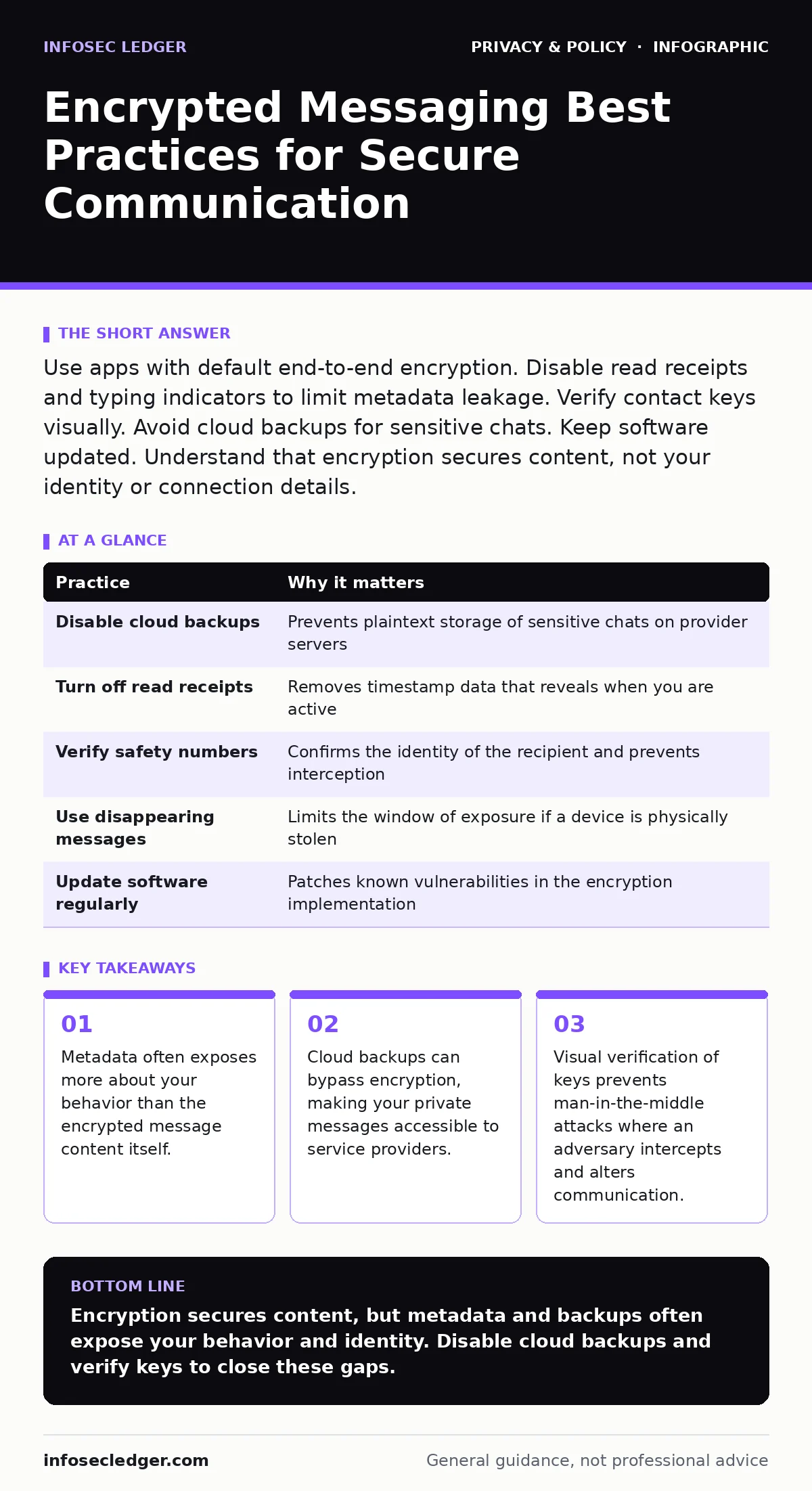
Use apps with default end-to-end encryption. Disable read receipts and typing indicators to limit metadata leakage. Verify contact keys visually. Avoid cloud backups for sensitive chats. Keep software updated. Understand that encryption secures content, not your identity or connection details.
The Limits of End-to-End Encryption
End-to-end encryption ensures that only the sender and receiver can read the message content. The service provider cannot decrypt the data. This mechanism protects against network snooping and server-side breaches. However, it does not hide the fact that communication occurred.
Metadata includes timestamps, contact lists, and message frequency. Adversaries can analyze this data to map relationships and predict behavior. Suppose you send a single encrypted message at 3:00 AM every night. That pattern reveals a routine, even if the content remains secret. You must treat metadata as sensitive information.
| Practice | Why it matters |
|---|---|
| Disable cloud backups | Prevents plaintext storage of sensitive chats on provider servers |
| Turn off read receipts | Removes timestamp data that reveals when you are active |
| Verify safety numbers | Confirms the identity of the recipient and prevents interception |
| Use disappearing messages | Limits the window of exposure if a device is physically stolen |
| Update software regularly | Patches known vulnerabilities in the encryption implementation |
1. Disable Cloud Backups for Sensitive Chats
Many messaging apps offer cloud backup to restore chat history. These backups are often stored in plaintext or with keys held by the provider. This creates a single point of failure. If the cloud account is compromised, the attacker gains access to your entire message history.
The trade-off is convenience versus privacy. You lose the ability to restore old messages on a new device. For high-sensitivity communication, this is the correct choice. You should manually export important records to a local, encrypted drive if you need to preserve them.
2. Suppress Metadata via Read Receipts
Read receipts and typing indicators send signals to the recipient. These signals are metadata. They tell the other party exactly when you are looking at your phone. In a hypothetical scenario, an adversary could correlate your read receipts with physical surveillance to determine your location or habits.
Disabling these features reduces the data footprint of your communication. It makes your activity look less predictable. You lose the social cue of knowing when someone has seen your message. This is a minor inconvenience compared to the privacy gain.
3. Visually Verify Contact Keys
Encryption relies on public keys to secure the connection. If an adversary intercepts the connection, they can swap their key for the recipient's. This is a man-in-the-middle attack. The messages remain encrypted, but the adversary can read and modify them.
Visual verification solves this. You compare the unique safety number or QR code with your contact. You must do this through a trusted channel, such as in person. It feels cumbersome, but it is the only way to guarantee the identity of the other party. Do this for high-value contacts.
4. Use Disappearing Messages for Ephemal Data
Disappearing messages delete content after a set time. This limits the damage if a device is lost or stolen. An attacker who gains physical access to your phone cannot view historical messages.
This feature does not prevent screenshots. The recipient can still capture the screen before the message vanishes. It also does not help if the attacker has remote access to your device. Use it for transient information, not for legal or financial records.
See also: GDPR vs HIPAA: Key Differences for Data Protection Compliance
5. Keep Software Updated Promptly
Encryption algorithms are complex. Implementation bugs can break security. Developers release updates to patch these vulnerabilities. Delaying updates leaves you exposed to known exploits.
Automatic updates are the safest default. They ensure you are protected against the latest threats. Some organizations disable auto-updates to control change. This introduces risk. For messaging apps, the security benefit of immediate updates outweighs the stability concerns.
6. Avoid Cross-Platform Syncing
Syncing messages across multiple devices requires a relay server. This server holds decryption keys or encrypted data. It increases the attack surface. If one device is compromised, the attacker may access the relay and decrypt messages on other devices.
Use the app on a single dedicated device for sensitive work. If you must use multiple devices, understand that the security chain is only as strong as the weakest link. A compromised tablet can expose messages on your phone.
7. Be Wary of Group Chats
Group chats introduce complexity. Every participant holds a copy of the message. If one member’s device is compromised, the entire group’s conversation is exposed. You cannot control the security practices of others.
Limit group sizes for sensitive discussions. Use smaller, trusted circles. Assume that any message sent to a group is public within that circle. Do not share sensitive data in large groups where you do not know the security posture of every member.
Related Privacy Considerations
Encryption is one layer of defense. You must also consider how you connect to the internet. Unsecured networks expose your traffic to local interception. Understanding public Wi-Fi risks helps you choose safer connection points.
Data retention policies also matter. Even if messages are deleted locally, the provider may retain metadata. Regulations like CCPA influence how companies handle this data, but they do not mandate encryption. You should review the privacy policy of any app you use.
Avoid relying on private browsing mode for messaging. This mode clears local history but does not encrypt traffic or hide metadata from the network. Similarly, third-party cookies and online tracking are separate issues from message security, but they contribute to your overall digital footprint.
If you handle biometric data, ensure it is stored locally on the device, not in the cloud. Pseudonymization can help reduce the link between your identity and your communication, but it is not a substitute for encryption. Be cautious of people-search sites that aggregate your public data, as they can link your identity to your encrypted accounts.
Key takeaways
- Metadata often exposes more about your behavior than the encrypted message content itself.
- Cloud backups can bypass encryption, making your private messages accessible to service providers.
- Visual verification of keys prevents man-in-the-middle attacks where an adversary intercepts and alters communication.
Encryption secures content, but metadata and backups often expose your behavior and identity. Disable cloud backups and verify keys to close these gaps.
Frequently asked questions
Does encryption hide my phone number?
No, most apps require a phone number for registration, which is visible to the provider and often to other users.
Can I recover deleted messages?
Only if you have a backup. Disabling backups means deleted messages are gone forever.
Is visual verification necessary for every chat?
Only for high-sensitivity contacts. For casual chats, the risk is lower, but the practice remains best for security.
Do disappearing messages prevent screenshots?
No, recipients can still take screenshots before the message
How this guide was produced: written by the InfoSec Ledger editorial team with AI assistance, checked against the public references listed below, and reviewed when the facts change. See our editorial policy or report an error.