
Detect People Search Sites in Logs and Network Traffic
People search sites leave distinct DNS and HTTP headers that reveal data scraping before any personal information leaves your network perimeter.
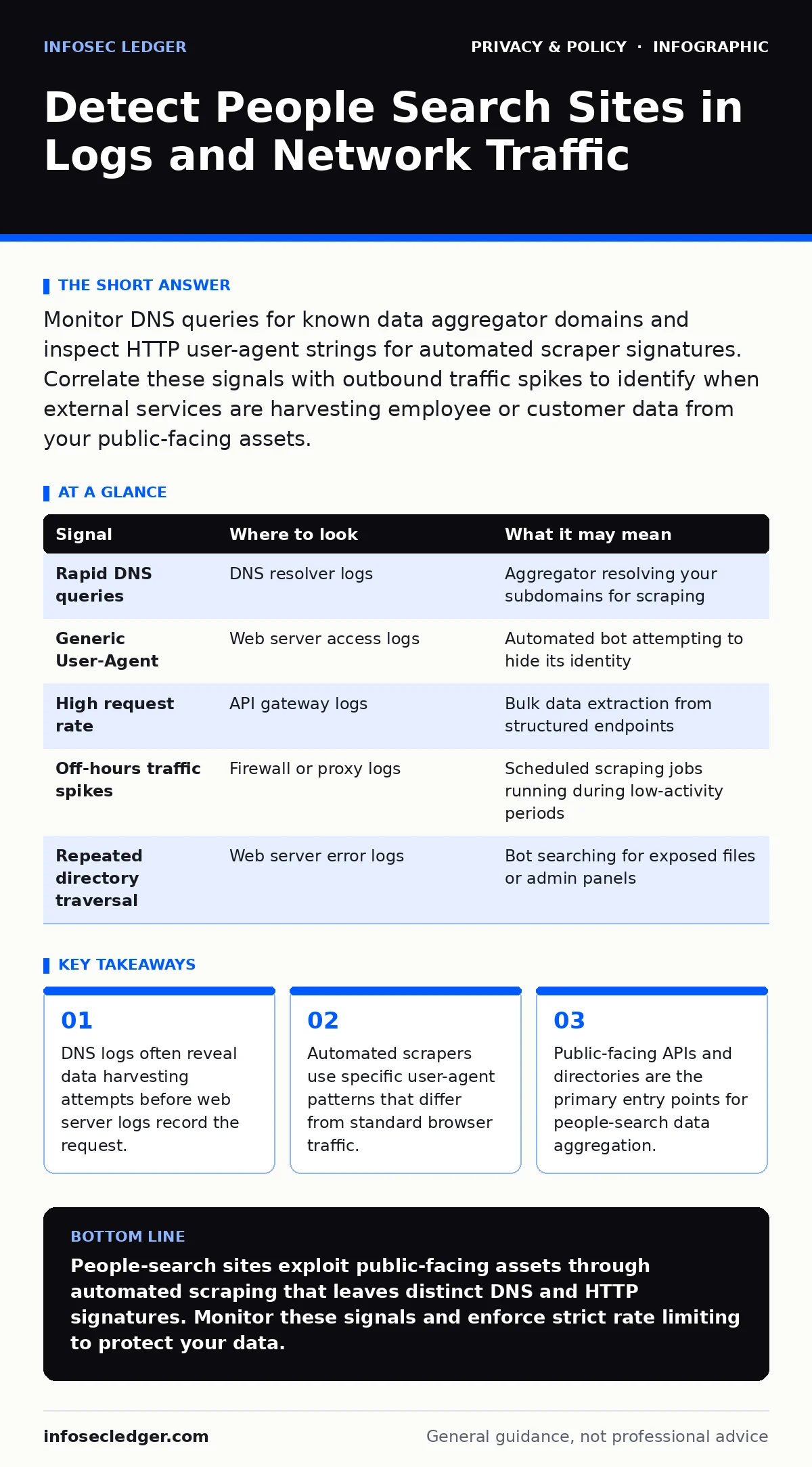
Monitor DNS queries for known data aggregator domains and inspect HTTP user-agent strings for automated scraper signatures. Correlate these signals with outbound traffic spikes to identify when external services are harvesting employee or customer data from your public-facing assets.
DNS Query Patterns as Early Warning
The first sign of data aggregation often appears in your DNS logs, not your web server logs. When a people-search site crawls your network, it must resolve hostnames to fetch content. Look for repeated queries to domains associated with public records or data brokerage services. These queries occur in rapid succession, often from multiple subdomains or IP ranges belonging to the same aggregator.
You should configure your DNS resolver to log all outbound queries. Standard firewalls may allow DNS traffic by default, hiding the initial reconnaissance phase. By analyzing the frequency and volume of these lookups, you can detect scraping activity before it impacts your application performance. This method works because the crawler must resolve your assets before it can harvest data from them.
HTTP Header Signatures and User Agents
Web servers log the User-Agent string sent by every client. Legitimate users typically send strings identifying their browser and operating system. Automated scrapers often send generic, missing, or malformed User-Agent headers to avoid detection. Some advanced bots mimic popular browsers, but they rarely rotate these signatures as frequently as human traffic does.
Inspect your access logs for User-Agent strings that contain keywords like "bot," "crawler," or "spider." Also look for strings that are empty or consist of single characters. While some legitimate search engine bots use these identifiers, people-search aggregators often use custom or poorly disguised agents. You can block or rate-limit traffic based on these signatures, but be aware that sophisticated actors will spoof these headers to blend in with normal traffic.
Traffic Volume and Timing Anomalies
People-search sites do not browse your site like humans do. They systematically traverse your directory structures, API endpoints, and public profiles. This behavior creates distinct traffic patterns. You will see high request rates from single IP addresses or subnets targeting specific URL paths. These requests often occur outside of normal business hours or at consistent intervals, indicating automated scheduling.
Monitor your bandwidth usage for sudden spikes that do not correlate with marketing campaigns or product launches. A steady stream of small requests to profile pages or contact directories suggests data harvesting. Compare current traffic baselines against historical data to identify deviations. If you notice a cluster of requests hitting the same endpoint repeatedly, it is likely an aggregation attempt rather than genuine user interest.
API Endpoint Exposure and Rate Limiting
Application Programming Interfaces (APIs) are frequent targets for data extraction. If your organization exposes employee directories, customer portals, or public records via APIs, aggregators will exploit these structured data sources. They bypass the graphical user interface to fetch raw data efficiently. Without proper rate limiting, a single script can download thousands of records in minutes.
Review your API gateway logs for high-frequency calls from unauthenticated or low-privilege accounts. Implement strict rate limiting based on IP address and API key. Ensure that your APIs require authentication for any endpoint that returns personal data. If an endpoint is public, ensure it returns minimal information and does not allow bulk downloads. This reduces the value of your data to aggregators and increases the cost of harvesting.
Common Blind Spots in Monitoring
Many organizations focus solely on inbound attacks, ignoring outbound data leakage. People-search sites often pull data from public sources that you have inadvertently exposed. This includes social media profiles, job postings, and public records hosted on your infrastructure. If these assets are not monitored for scraping, you may remain unaware of the data exposure.
Another blind spot is the use of third-party services that embed your data. If you use a customer support chat widget or a review platform, that provider may share data with aggregators. You cannot control their privacy practices, so you must assess the risk of using such services. Additionally, DNS over HTTPS can hide scraping traffic from traditional network monitors. You must inspect encrypted traffic at the endpoint or use a secure DNS resolver that logs queries.
| Signal | Where to look | What it may mean |
|---|---|---|
| Rapid DNS queries | DNS resolver logs | Aggregator resolving your subdomains for scraping |
| Generic User-Agent | Web server access logs | Automated bot attempting to hide its identity |
| High request rate | API gateway logs | Bulk data extraction from structured endpoints |
| Off-hours traffic spikes | Firewall or proxy logs | Scheduled scraping jobs running during low-activity periods |
| Repeated directory traversal | Web server error logs | Bot searching for exposed files or admin panels |
See also: GDPR vs HIPAA: Key Differences for Data Protection Compliance
Integrating Signals for Detection
No single signal confirms a people-search site attack. You must correlate DNS queries, HTTP headers, and traffic patterns to reduce false positives. A single high-volume IP may be a legitimate user with many tabs open. However, if that IP also sends generic User-Agents and queries your DNS frequently, the probability of scraping increases.
Use a Security Information and Event Management (SIEM) system to aggregate these logs. Create rules that trigger alerts when multiple indicators appear together. For example, alert when an IP address makes more than fifty requests in one minute while using a generic User-Agent. This approach allows you to distinguish between normal high-traffic events and targeted data harvesting.
Mitigation and Policy Alignment
Technical controls must align with your privacy policies. If you claim to protect user data, you must actively prevent its aggregation by third parties. This includes implementing robots.txt directives to disallow crawling of sensitive directories. While aggregators often ignore robots.txt, it provides a legal basis for takedown requests and helps legitimate search engines respect your boundaries.
Review your public-facing content regularly to remove unnecessary personal details. This practice, known as minimization, reduces the value of your data to aggregators. Ensure that your privacy policy clearly states how data is collected and shared. If you use third-party services, include clauses that prohibit data sharing with people-search sites. This contractual obligation can help you enforce your privacy standards beyond your own network perimeter.
Key takeaways
- DNS logs often reveal data harvesting attempts before web server logs record the request.
- Automated scrapers use specific user-agent patterns that differ from standard browser traffic.
- Public-facing APIs and directories are the primary entry points for people-search data aggregation.
People-search sites exploit public-facing assets through automated scraping that leaves distinct DNS and HTTP signatures. Monitor these signals and enforce strict rate limiting to protect your data.
Frequently asked questions
How do I distinguish between a search engine bot and a people-search scraper?
Search engine bots usually identify themselves with standard User-Agent strings and respect robots.txt. People-search scrapers often use generic agents, ignore crawling directives, and target specific data-rich endpoints like directories.
Can I block all people-search sites using a firewall?
No, because these sites operate on thousands of domains and IP addresses that change frequently. Blocking specific IPs is ineffective. Instead, focus on detecting and limiting the behavior of automated scrapers through rate limiting and header analysis.
Does using a VPN protect my organization from data aggregation?
A VPN masks your outbound IP address, which may confuse simple IP-based blocking. However, it does not prevent your public assets from being scraped. Aggregators target your public servers, not your internal network traffic.
What is the role of robots.txt in preventing data harvesting?
Robots.txt tells compliant crawlers which parts of your site to avoid. While malicious aggregators often ignore it, it helps legitimate search engines respect your boundaries and provides evidence for legal takedown requests.
How this guide was produced: written by the InfoSec Ledger editorial team with AI assistance, checked against the public references listed below, and reviewed when the facts change. See our editorial policy or report an error.