
Browser Cookies Disabled: The Trade-Offs of Blocking Web Tracking
Blocking browser cookies disables session continuity and breaks site functionality, forcing a choice between privacy and usability.
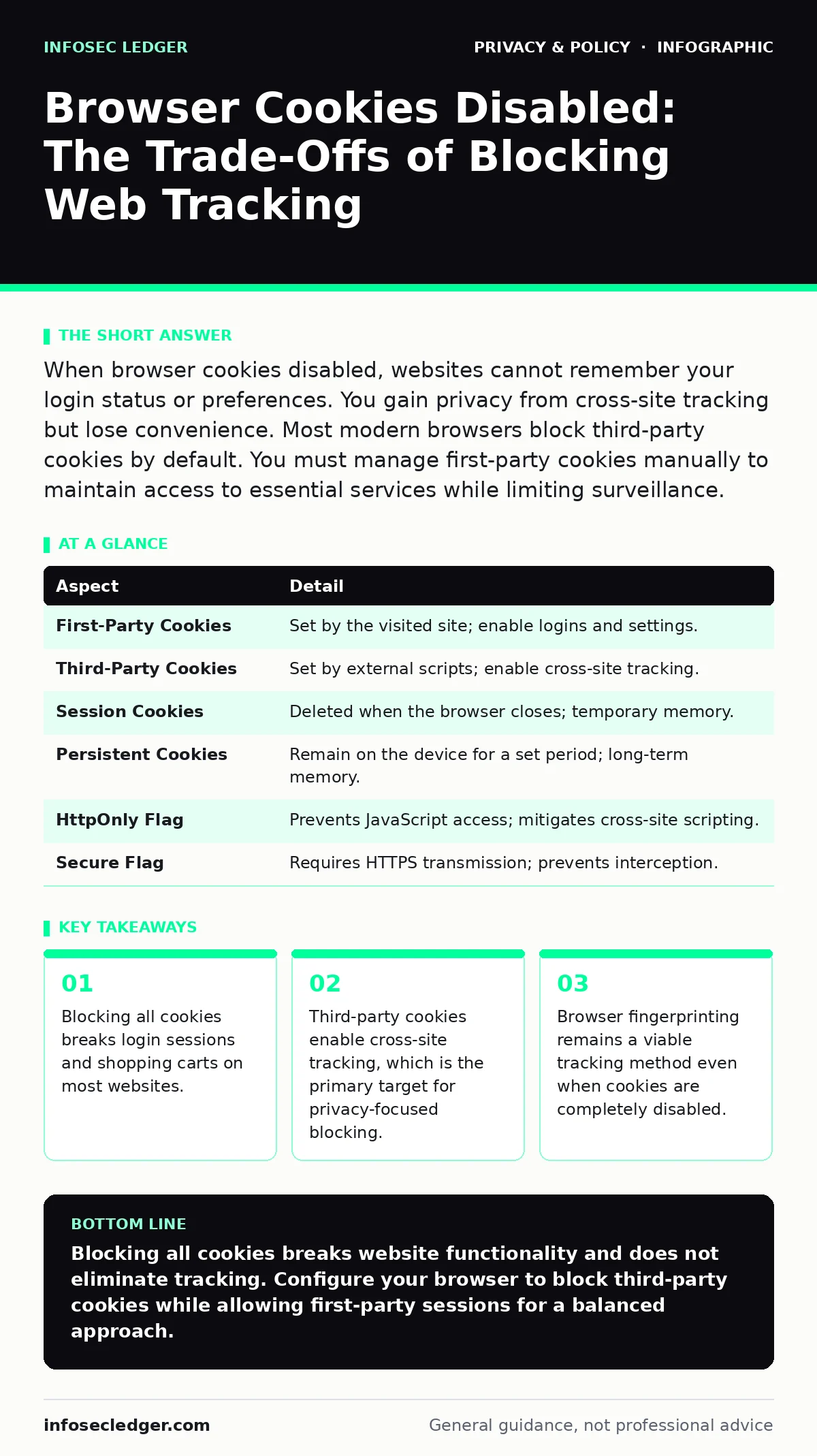
When browser cookies disabled, websites cannot remember your login status or preferences. You gain privacy from cross-site tracking but lose convenience. Most modern browsers block third-party cookies by default. You must manage first-party cookies manually to maintain access to essential services while limiting surveillance.
The Digital Receipt Analogy
Imagine visiting a store where the clerk forgets your name every time you turn around. You must re-introduce yourself at every aisle. The store also cannot remember that you prefer cash over credit. This is the experience of the web when browser cookies disabled. Cookies are small text files stored by your browser. They hold data about your interaction with a specific website. The server sends a cookie to your device.
Your browser returns it with every subsequent request to that domain. This mechanism allows stateful interaction on a stateless protocol. Without this memory, the web reverts to a series of disconnected moments. You lose the ability to stay logged in. You lose the ability to save items in a shopping cart. The convenience of the modern web relies entirely on this temporary memory.
How Cookie Mechanisms Operate
Cookies serve two distinct functions in web architecture. First-party cookies are set by the domain you are visiting. They handle authentication, session management, and user preferences. These cookies are generally necessary for the site to function. Third-party cookies are set by domains other than the one you are visiting. They typically originate from advertising networks or analytics providers embedded in the page.
These cookies track your behavior across multiple websites. They build a profile of your interests and habits. This profile allows advertisers to serve targeted content. The tracking occurs because the third-party script runs on every site that includes it. Your browser sends the cookie to the third party each time. This creates a unique identifier for your device across the web.
| Aspect | Detail |
|---|---|
| First-Party Cookies | Set by the visited site; enable logins and settings. |
| Third-Party Cookies | Set by external scripts; enable cross-site tracking. |
| Session Cookies | Deleted when the browser closes; temporary memory. |
| Persistent Cookies | Remain on the device for a set period; long-term memory. |
| HttpOnly Flag | Prevents JavaScript access; mitigates cross-site scripting. |
| Secure Flag | Requires HTTPS transmission; prevents interception. |
The Impact of Blocking Cookies
Blocking all cookies creates significant friction in daily browsing. You must re-enter credentials for every new tab or window. Shopping carts empty when you navigate away from the product page. Comment sections require re-authentication for every post. This friction is the direct cost of privacy. The benefit is the disruption of cross-site tracking. Advertisers cannot link your visit to a news site with your visit to a retail site.
Your behavioral profile becomes fragmented. However, this does not eliminate tracking. Websites can use alternative methods to identify you. Browser fingerprinting analyzes your screen resolution, installed fonts, and browser version. This data can be unique enough to identify you without cookies. Blocking cookies shifts the tracking burden from storage to observation. You are still visible, just less recognizable.
Common Misconceptions About Cookies
Many users believe cookies are small programs that infect their computer. This is incorrect. Cookies are plain text data. They cannot execute code or replicate. They cannot spread malware on their own. Another common error is assuming that deleting cookies removes all traces of your activity. Your internet service provider still sees the domains you visit. The website owner still logs your IP address and request times.
Cookies are only one piece of the tracking ecosystem. Local storage and service workers can also store data. These mechanisms are not affected by cookie settings. Users often confuse blocking third-party cookies with blocking all tracking. Most browsers now block third-party cookies by default. This reduces cross-site profiling but does not stop first-party tracking. The site you are visiting still knows what you do on its pages.
Managing Browser Cookies Disabled Settings
You do not need to choose between total exposure and total blockage. Modern browsers offer granular controls. You can block third-party cookies while allowing first-party cookies. This preserves functionality while limiting cross-site tracking. You can also set the browser to clear cookies on exit. This prevents long-term profiling while allowing sessions during active use. Another option is to use private browsing modes.
These modes create a temporary session that discards all data upon closure. This is useful for sensitive transactions. It does not make you anonymous to the network. It only prevents local storage of history and cookies. You should review your browser settings regularly. Updates often change default behaviors. Understanding the difference between session and persistent cookies helps you make informed choices. Session cookies are safer to block if you do not mind re-logging in.
See also: How AI Usage Policies Work: From Data Capture to Risk Control · Secure File Sharing Mistakes That Expose Your Business Data
The Role of Privacy Frameworks
Privacy regulations influence how companies handle cookie data. Laws like the CCPA require businesses to disclose data collection practices. They must provide a way to opt out of the sale of personal information. This shifts the burden to the organization. You are not solely responsible for managing your data. However, compliance varies widely. Many sites use banner notifications that require manual interaction. This places the cognitive load back on the user.
Understanding the concept of privacy by design helps evaluate these practices. It means protecting data by default rather than requiring user action. Anonymization techniques can reduce the risk of re-identification. If the data stored in cookies is anonymous, the privacy risk decreases. You should look for sites that minimize data collection. They should only store what is necessary for the service. This aligns with the principle of data minimization.
Alternative Tracking Methods
When cookies are disabled, trackers adapt. Browser fingerprinting becomes more prominent. It collects hardware and software details to create a unique ID. This method does not store data on your device. It generates an identifier on the fly. You cannot delete a fingerprint. You can only obscure it. Using privacy-focused browsers can help reduce the uniqueness of your fingerprint. These browsers standardize certain settings to blend in with others. Another method is canvas fingerprinting.
It uses the HTML5 canvas element to render hidden images. The result varies slightly based on your graphics driver and hardware. This variation serves as a unique identifier. Blocking cookies does not stop these methods. You must understand that privacy is a spectrum. No single setting provides complete invisibility. Layering defenses is the most effective approach. Combine cookie blocking with ad blockers and privacy extensions. This reduces the surface area for tracking.
Practical Steps for Users
Start by enabling the block third-party cookies setting in your browser. This is the default in many modern browsers. Check your settings to ensure it is active. Next, consider using a privacy-focused DNS service. This prevents your internet service provider from seeing the specific sites you visit. It does not encrypt the content of your visits. It only hides the domain names. Review the permissions you grant to websites. Some sites request access to your location or camera.
Deny these requests unless necessary. This limits the data available for profiling. Finally, keep your browser updated. Security patches fix vulnerabilities that could allow malicious scripts to bypass your settings. Regular updates ensure you have the latest protections. You should also review the permissions for installed extensions. Extensions can access your browsing data. Remove any you do not use. This reduces the risk of malicious extensions stealing your data.
Key takeaways
- Blocking all cookies breaks login sessions and shopping carts on most websites.
- Third-party cookies enable cross-site tracking, which is the primary target for privacy-focused blocking.
- Browser fingerprinting remains a viable tracking method even when cookies are completely disabled.
Blocking all cookies breaks website functionality and does not eliminate tracking. Configure your browser to block third-party cookies while allowing first-party sessions for a balanced approach.
Frequently asked questions
Do cookies contain passwords?
Cookies rarely store passwords in plain text. They usually store a session token that proves you have already authenticated. This token is less valuable than a password but can be hijacked if stolen.
Can I disable cookies on my phone?
Yes, mobile browsers offer similar settings to desktop browsers. You can block third-party cookies and clear data on exit. The interface may differ, but the functionality is largely the same.
What is the difference between a cookie and a cache?
A cookie stores small pieces of data about your preferences and session. A cache stores copies of web pages and images to speed up loading times. Clearing the cache does not delete your login status.
Do private browsing modes delete cookies?
Private browsing modes delete cookies and history when you close the window. They do not make you anonymous to the website or your internet service provider. They only prevent local storage of your activity.
How this guide was produced: written by the InfoSec Ledger editorial team with AI assistance, checked against the public references listed below, and reviewed when the facts change. See our editorial policy or report an error.