
Mobile App Permission Abuse: What It Means and How to Stop It
Mobile software often collects far more personal data than necessary because users grant blanket access without realizing the hidden trade-offs.
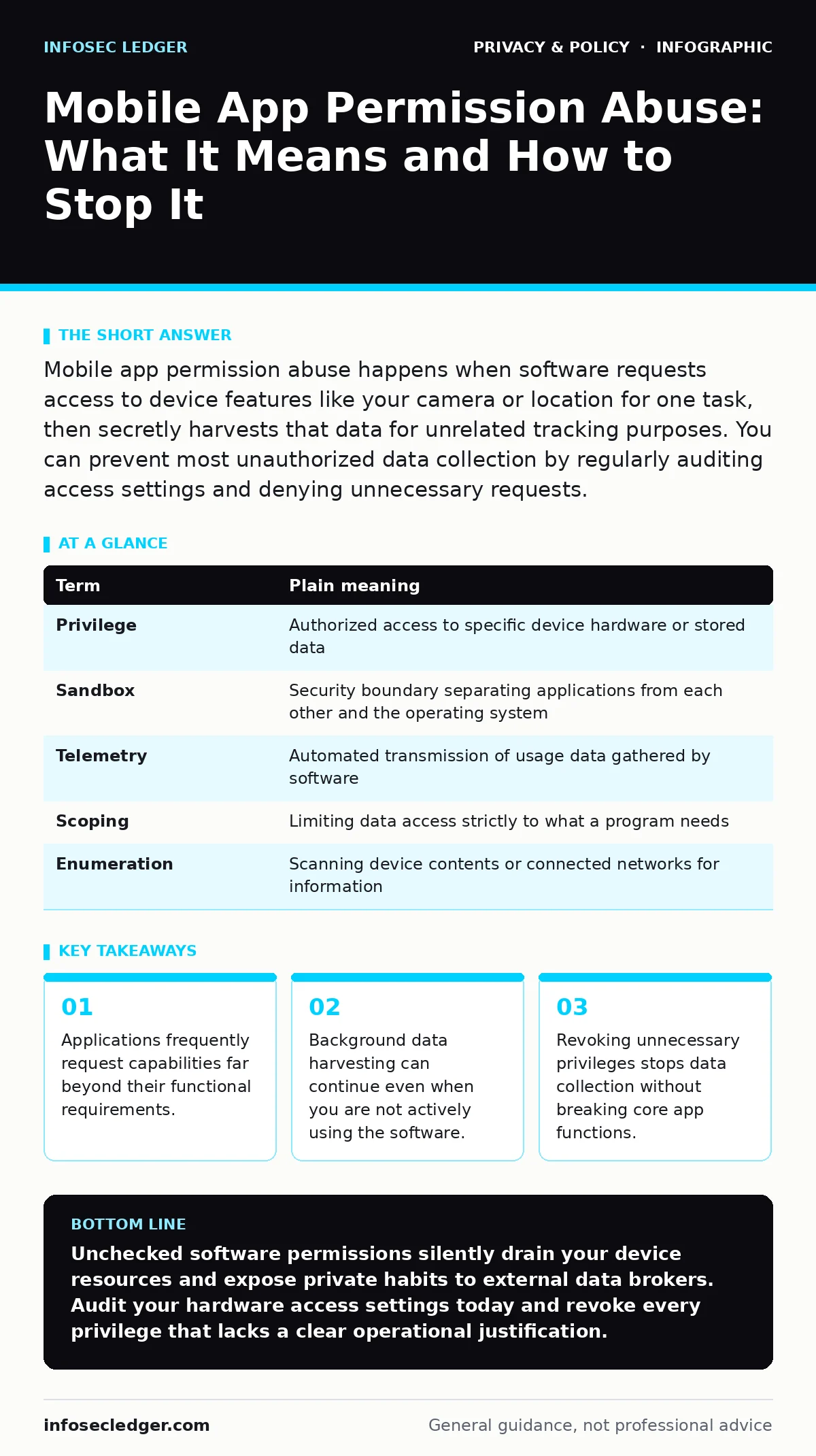
Mobile app permission abuse happens when software requests access to device features like your camera or location for one task, then secretly harvests that data for unrelated tracking purposes. You can prevent most unauthorized data collection by regularly auditing access settings and denying unnecessary requests.
What Is Mobile App Permission Abuse?
Mobile app permission abuse is the unauthorized collection of private information beyond what software needs to perform its advertised function. Developers design these requests to appear standard, which leads users to tap accept without reading the fine print. Unchecked access allows third parties to build detailed profiles of your daily habits, physical locations, and personal relationships through background data harvesting.
How Does the Contractor Analogy Explain Access?
The contractor analogy for digital access describes how software permissions resemble hiring a home contractor to fix a leaky sink while handing over keys to every room in your house. Imagine hiring a plumber who insists on copying your family photo albums and tracking your grocery trips just to tighten a pipe. Reasonable applications require specific entry points to work properly, but overreaching software demands total entry to your device ecosystem.
Why Do Common Misconceptions Persist?
Common misconceptions about permission prompts persist because users often assume operating systems block dangerous behavior automatically, but standard review processes rarely catch subtle data harvesting routines. Granting location access for a local weather forecast might accidentally fuel aggressive online tracking across multiple unrelated marketing networks. Software vendors frequently bundle unrelated data collection clauses into lengthy terms of service agreements that few people ever read.
What Key Terms Define Software Privileges?
Key terms that define software privileges involve specific terminology that dictates how programs interact with your device hardware and personal files. Reviewing these technical definitions helps you evaluate whether a specific software request makes logical sense for the task at hand.
| Term | Plain meaning |
|---|---|
| Privilege | Authorized access to specific device hardware or stored data |
| Sandbox | Security boundary separating applications from each other and the operating system |
| Telemetry | Automated transmission of usage data gathered by software |
| Scoping | Limiting data access strictly to what a program needs |
| Enumeration | Scanning device contents or connected networks for information |
What Are the Hidden Consequences of Over-Privileged Apps?
Hidden consequences of over-privileged apps include severe risks like accelerated battery drain, increased data plan costs, and silent exposure of sensitive corporate communications. Applications with full network visibility can compromise your security even when you use encrypted messaging apps for private conversations. Hidden background routines continue uploading telemetry long after you close the visual interface, draining device resources while you sleep. Unsuspecting users rarely notice this silent resource drain until their overall device performance degrades significantly over time.
See also: AI Chat Links in Search Results and How to Prevent Them · Public Wi-Fi finder apps explained: hidden privacy trade-offs
How Can You Restrict Unnecessary Access Right Now?
Restricting unnecessary access right now requires deliberate configuration changes within your device settings menu rather than trusting default operating system prompts blindly. You can effectively secure your personal hardware and stop silent surveillance by completing 3 distinct actions right now.
- Open your device settings menu and locate the privacy dashboard to view a complete list of hardware permissions.
- Review every application with persistent access to your location, microphone, or camera, and change active permissions to manual approval only.
- Delete any application that demands broad hardware access without offering a clear functional justification for the request.
What Trade-Offs Exist Between Convenience and Privacy?
Trade-offs between convenience and privacy always introduce minor operational inconveniences, such as manually typing your zip code instead of sharing live GPS coordinates. Evaluating these operational trade-offs helps you decide whether a software tool is genuinely worth the privacy cost it demands from your personal life. Connecting to unsecured wireless networks creates additional vulnerabilities, compounding public Wi-Fi risks when poorly configured apps transmit unencrypted data packets across open airwaves. Malicious actors intercepting these broadcasts can easily capture sensitive information that background applications collect unnecessarily.
How Do Edge Cases Complicate Permission Management?
Edge cases complicate permission management when certain mobile applications break entirely if denied specific background privileges, forcing you to choose between operational functionality and data privacy. Developers sometimes deliberately couple core features with aggressive tracking routines to discourage users from turning off data collection. Recognizing these manipulative interface design patterns prevents you from accidentally compromising your personal security for the sake of minor software conveniences. Careful evaluation ensures you maintain strict control over your digital footprint without unnecessarily sacrificing daily productivity.
Key takeaways
- Applications frequently request capabilities far beyond their functional requirements.
- Background data harvesting can continue even when you are not actively using the software.
- Revoking unnecessary privileges stops data collection without breaking core app functions.
Unchecked software permissions silently drain your device resources and expose private habits to external data brokers. Audit your hardware access settings today and revoke every privilege that lacks a clear operational justification.
Frequently asked questions
Can operating systems prevent permission abuse automatically?
Operating systems can block malicious code execution, but they rely on users to decide whether sharing location or contacts makes sense for a specific app. Automated reviews cannot determine if a weather app genuinely needs your microphone access.
Do free applications pose a higher risk of permission abuse?
Free software often relies on data monetization models that encourage excessive permission requests to build targeted advertising profiles. Paid software can also overreach, but revenue generated from upfront purchases reduces the financial incentive to harvest personal data.
What happens when I deny a permission request?
Denying a permission simply blocks the software from accessing that specific hardware component or data category. Well-designed programs continue operating with limited functionality, while poorly designed ones may prompt you to restore access.
How often should I check my device permissions?
Reviewing your application permissions every few months ensures newly installed software has not quietly expanded its access rights. Regular audits catch background changes before they accumulate into significant privacy risks.
How this guide was produced: written by the InfoSec Ledger editorial team with AI assistance, checked against the public references listed below, and reviewed when the facts change. See our editorial policy or report an error.