
Prevent Web Shells: Prioritize Input Validation and File Integrity Monitoring
Most web shell infections succeed because servers allow executable code in directories meant only for static assets like images.
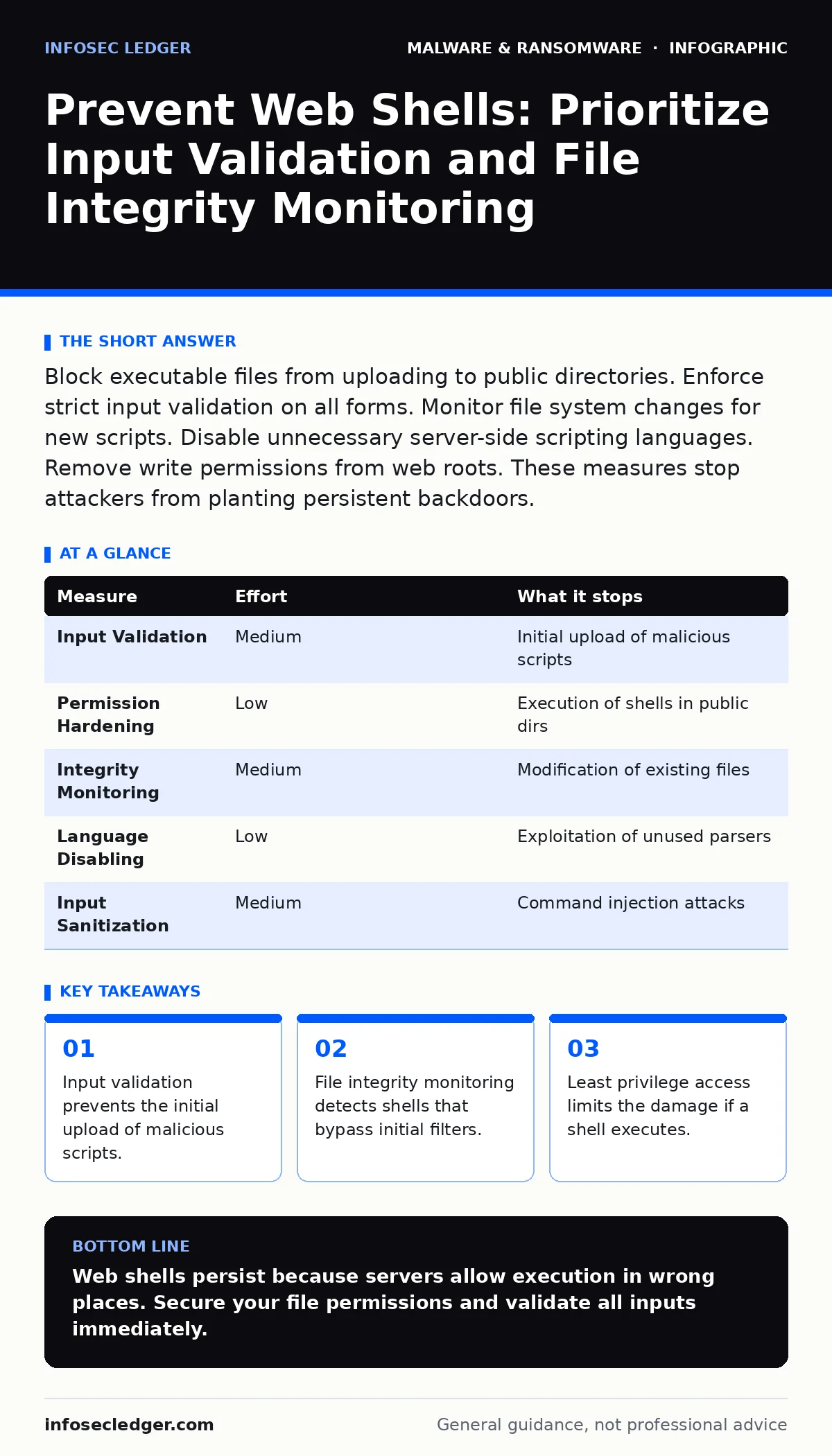
Block executable files from uploading to public directories. Enforce strict input validation on all forms. Monitor file system changes for new scripts. Disable unnecessary server-side scripting languages. Remove write permissions from web roots. These measures stop attackers from planting persistent backdoors.
Input Validation Stops the Initial Upload
Web shells enter systems primarily through file upload vulnerabilities. Attackers send a script disguised as an image or document. The server saves this file to a public directory. A visitor requests the file, and the server executes it. Input validation checks the content of every file before saving it. Do not rely on file extensions alone.
Attackers rename malicious scripts to have valid image extensions. Check the magic numbers, which are specific byte sequences at the start of a file. These bytes identify the true file type regardless of the name. Reject any file that does not match the expected format. This single measure blocks the majority of web shell attempts. It forces the attacker to find a more complex vulnerability.
Restrict Write Permissions in Web Roots
A web server needs read access to serve pages. It rarely needs write access. Many configurations grant write permissions to the entire web root for convenience. This allows any vulnerability to become a web shell installation. Change permissions so the web server user cannot write to directories. Use separate directories for uploads. Set strict ownership on these directories. The web server should only write to specific, isolated folders. Even if an attacker exploits a flaw, they cannot place a shell in the main application directory. They cannot modify existing scripts. This containment strategy limits the blast radius. It turns a critical compromise into a contained incident.
Monitor File Integrity for Changes
Attackers often bypass input filters by exploiting obscure bugs. They may modify existing files to inject code. File integrity monitoring detects these changes. It compares current file hashes against known good states. Hashes are unique digital fingerprints of file contents. Any change alters the hash. Set up automated alerts for any modification in critical directories. Check for new files in upload directories. Look for changes to configuration files. This method catches shells that evade prevention. It provides visibility into active attacks. You can respond before the attacker uses the shell. It complements prevention by adding detection.
Disable Unnecessary Server-Side Languages
Servers often support multiple scripting languages. PHP, Python, and Ruby may all be enabled. Each language adds attack surface. Attackers look for the easiest path. If PHP is vulnerable but Python is secure, they target PHP. Disable any language you do not actively use. Remove modules for unused interpreters. This reduces the number of ways an attacker can execute code. It simplifies your security posture. Fewer languages mean fewer vulnerabilities to patch. It also prevents confusion during incident response. You know exactly which parsers are running. This clarity speeds up analysis.
Validate and Sanitize All User Input
Web shells often arrive through command injection. Attackers insert system commands into form fields. The server executes these commands. Input validation ensures data matches expected patterns. Sanitization removes dangerous characters. Never trust data from users. Validate lengths, types, and formats. Reject input that contains shell metacharacters. These characters control command execution. This practice prevents attackers from running arbitrary code. It stops shells that use existing scripts as a carrier. It is a fundamental layer of defense. It works alongside file upload controls.
| Measure | Effort | What it stops |
|---|---|---|
| Input Validation | Medium | Initial upload of malicious scripts |
| Permission Hardening | Low | Execution of shells in public dirs |
| Integrity Monitoring | Medium | Modification of existing files |
| Language Disabling | Low | Exploitation of unused parsers |
| Input Sanitization | Medium | Command injection attacks |
See also: Warning Signs of Insecure Direct Object References (IDOR) in Web Apps · Online Tracking Risks: How Small Firms Lose Data and Regain Control
What Does Not Work for Prevention
Blocking specific IP addresses fails against web shells. Attackers use compromised devices worldwide. The source IP changes constantly. Blocking keywords in file names is trivial to bypass. Attackers use null bytes or double extensions. Renaming a file to shell.php.jpg often fools naive filters. The server sees the .jpg extension but executes the PHP code. Relying on antivirus scans is also weak. Modern shells are small and polymorphic. They change their structure with each instance. Static signatures rarely catch them. You need behavioral and structural defenses.
The Hidden Cost of Convenience
Developers often enable features for speed. Easy file uploads save time during development. They create lasting security holes. The cost of fixing a web shell is high. It requires identifying the entry point. You must check all logs for other compromises. You may need to rebuild the server. Prevention is cheaper than remediation. The effort to secure uploads is small. The risk of a breach is massive. Balance convenience with security. Do not sacrifice safety for speed.
Closing Checklist for Immediate Action
Review your server configurations today. Check for unnecessary write permissions. Verify that input validation is active. These steps reduce risk significantly. They are foundational to web security. Do not delay these basic controls.
- Disable write access for the web server user in application directories.
- Implement magic number validation for all file uploads.
- Enable file integrity monitoring on critical web paths.
Key takeaways
- Input validation prevents the initial upload of malicious scripts.
- File integrity monitoring detects shells that bypass initial filters.
- Least privilege access limits the damage if a shell executes.
Web shells persist because servers allow execution in wrong places. Secure your file permissions and validate all inputs immediately.
Frequently asked questions
How do I know if my site has a web shell?
Look for unexpected file changes in upload directories. Check for scripts with unusual names. Monitor for outbound connections from your server.
Can a firewall stop all web shells?
No, firewalls miss obfuscated scripts. You need server-side validation and permission controls. Firewalls are only one layer of defense.
Should I disable PHP if I do not use it?
Yes, disabling unused languages reduces attack surface. It prevents attackers from exploiting old vulnerabilities. Only enable what you actively need.
What is the best way to detect a shell?
File integrity monitoring is highly effective. It alerts you when files change unexpectedly. Combine this with log analysis for best results.
How this guide was produced: written by the InfoSec Ledger editorial team with AI assistance, checked against the public references listed below, and reviewed when the facts change. See our editorial policy or report an error.