
App Permission Management: 8 Questions Answered for Secure Devices
Granting location access to a flashlight app creates a persistent tracking vector that survives device resets and complicates data deletion requests.
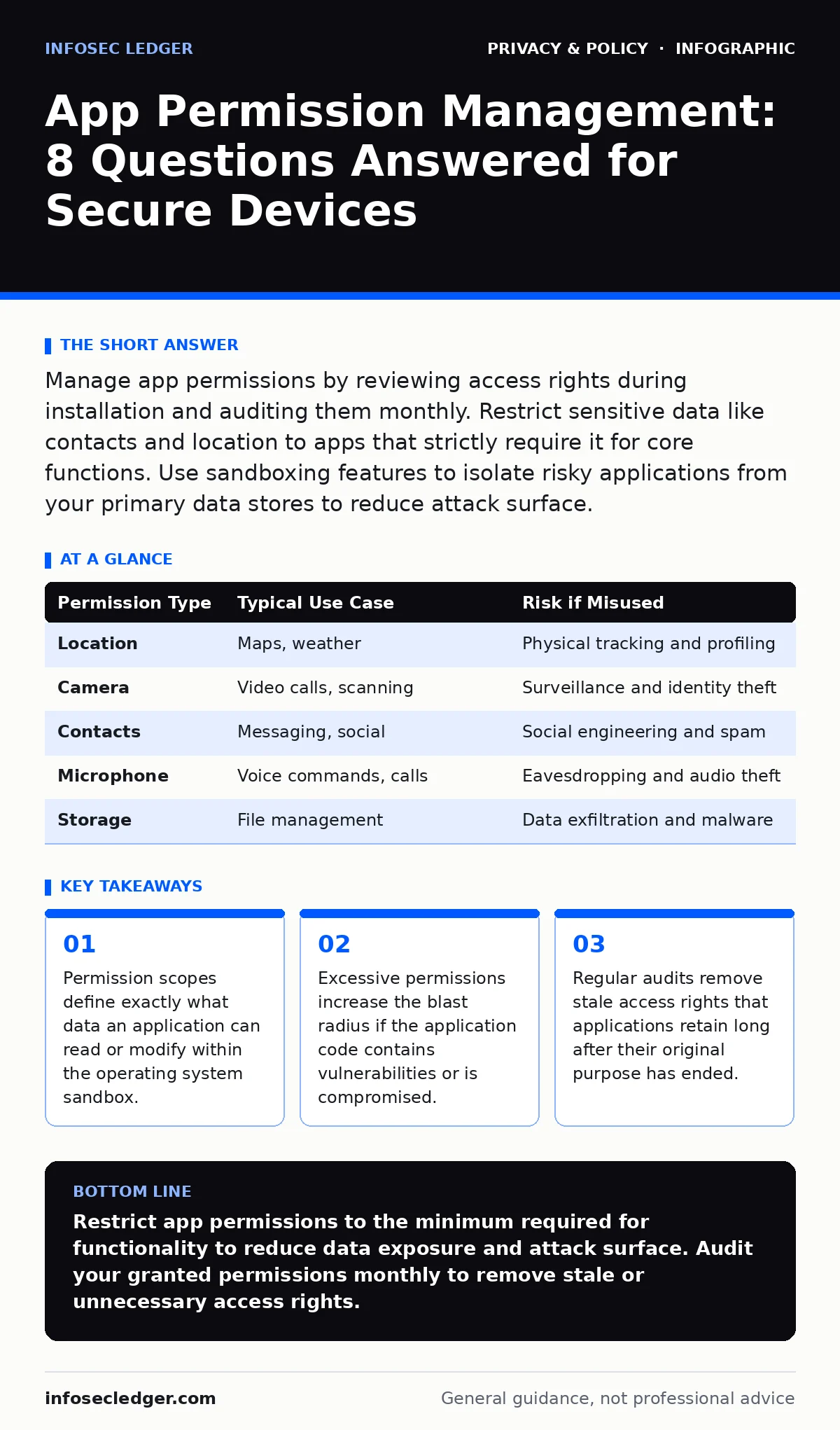
Manage app permissions by reviewing access rights during installation and auditing them monthly. Restrict sensitive data like contacts and location to apps that strictly require it for core functions. Use sandboxing features to isolate risky applications from your primary data stores to reduce attack surface.
What exactly is an app permission?
An app permission is a specific authorization that allows software to access hardware sensors, stored files, or network resources on your device. Operating systems enforce these boundaries to prevent malicious or poorly coded applications from stealing data or interfering with other processes. When you install an application, the system presents a list of requested permissions. You must evaluate each request against the core functionality of the tool. A calculator application has no logical reason to access your camera or microphone. Denying unnecessary permissions limits the potential damage if the application is compromised.
Why do some apps request permissions they do not need?
Developers sometimes request broad permissions to enable future features, track user behavior for advertising, or simply because they copy code from other projects. This practice increases the attack surface of the application. If a vulnerability exists in the code, an attacker can exploit any granted permission to exfiltrate data. Granting access to contacts for a weather application allows an attacker to harvest your social graph. Reviewing the privacy policy can sometimes explain the need, but often the motive is data collection rather than functionality. See our guide on privacy policies for deeper analysis of these disclosures.
How can I check what permissions I have granted?
Navigate to the settings menu of your operating system and locate the application management section. Each installed application has a dedicated view listing its current access rights. Look for categories such as location, camera, microphone, contacts, and storage. Modern systems often group permissions by sensitivity. You can revoke individual permissions without uninstalling the application. Some applications will cease to function if you remove a required permission, while others will degrade gracefully. Monitor which applications lose functionality to identify which permissions are truly necessary for your usage pattern.
| Permission Type | Typical Use Case | Risk if Misused |
|---|---|---|
| Location | Maps, weather | Physical tracking and profiling |
| Camera | Video calls, scanning | Surveillance and identity theft |
| Contacts | Messaging, social | Social engineering and spam |
| Microphone | Voice commands, calls | Eavesdropping and audio theft |
| Storage | File management | Data exfiltration and malware |
Should I allow "always" or "only while using" location access?
Choosing "only while using" restricts location data collection to the moments the application is visible on your screen. This setting prevents background tracking when you are using other tools or when the device is locked. "Always" permission allows the application to record your movements even when it runs in the background. Background location access is rarely necessary for standard consumer applications. It is primarily used for fitness tracking or navigation services. Limiting access to foreground usage significantly reduces the amount of behavioral data available to third parties.
Can I revoke permissions after installation?
You can revoke most permissions at any time through the device settings menu. The operating system does not require you to uninstall the application to remove access rights. Revoking a permission may cause the application to crash or disable specific features. This behavior indicates the developer did not design the software to handle restricted environments gracefully. If an application becomes unusable without a specific permission, consider finding an alternative that respects user choice. Regular revocation tests help you understand which data flows are critical for the application's operation.
See also: GDPR vs HIPAA: Key Differences for Data Protection Compliance
What is the difference between read and write permissions?
Read permissions allow an application to view data, such as your contact list or photo gallery. Write permissions allow the application to modify, delete, or add data. Write access is significantly more dangerous because it can alter your files or corrupt your database. An application with write access to your contacts can add malicious entries or delete important numbers. Always prefer applications that request read-only access when modification is not required for the core task. Verify that the application does not need to save files locally before granting write access to storage.
How do permissions affect data broker exposure?
Applications often sell aggregated user data to data brokers, who compile profiles for targeted advertising. The more permissions you grant, the more detailed the profile becomes. Location data combined with purchase history creates a highly accurate picture of your life. This data can be sold to insurers, employers, or other entities without your explicit consent. Limiting permissions reduces the granularity of the data available for sale. See our guide on data brokers to understand how this information is aggregated and monetized. Opting out of data brokers is a separate process that complements permission management.
Can permissions bypass encryption or two-factor authentication?
Permissions do not bypass encryption directly, but they can expose decrypted data within the application sandbox. If an application has access to your clipboard, it can read copied passwords or codes. Two-factor authentication codes are often pasted from a messaging application into a login field. If a malicious application has clipboard access, it can steal these codes in real-time. This renders two-factor authentication ineffective because the attacker intercepts the second factor. Restrict clipboard access to trusted applications only. See our guide on two-factor authentication for personal accounts to learn more about securing login processes.
What happens to permissions when I update an application?
Application updates can introduce new permission requests or change how existing permissions are used. The operating system may prompt you to approve new requests during the update process. Some updates modify the application's privacy policy, expanding data collection practices. Always review the changelog and permission changes before accepting an update. If an update requests access to sensitive data like health records or financial information, investigate the reason. You can often delay the update to review the implications. See our guide on encrypted messaging apps for examples of how updates impact security protocols.
How do I manage permissions for enterprise or work devices?
Enterprise devices often have stricter permission policies enforced by mobile device management software. These policies may prevent you from granting certain permissions to personal applications. This separation protects corporate data from leaking into personal tools. If you use a personal device for work, ensure you have a clear separation between work and personal data. Use containerization features to isolate work applications. Do not grant work applications access to personal contacts or photos. See our guide on pseudonymization for techniques to reduce identity exposure in professional contexts.
Key takeaways
- Permission scopes define exactly what data an application can read or modify within the operating system sandbox.
- Excessive permissions increase the blast radius if the application code contains vulnerabilities or is compromised.
- Regular audits remove stale access rights that applications retain long after their original purpose has ended.
Restrict app permissions to the minimum required for functionality to reduce data exposure and attack surface. Audit your granted permissions monthly to remove stale or unnecessary access rights.
Frequently asked questions
Does turning off location services disable GPS for all apps?
No, turning off location services globally disables GPS for the entire device. You can disable location for specific applications while keeping it active for navigation or weather tools.
Can I grant permissions to an app temporarily?
Most operating systems allow "one-time" or "while using" permissions. This grants access only during the active session, preventing background data collection.
Do permissions reset when I reinstall an app?
Reinstalling an app usually resets its permissions to the default state. You must re-grant necessary permissions, which is an opportunity to review and restrict access.
Is it safe to grant all permissions to a trusted developer?
No, even trusted developers can suffer data breaches or introduce vulnerabilities. Granting unnecessary permissions increases the risk of accidental data exposure or exploitation.
How this guide was produced: written by the InfoSec Ledger editorial team with AI assistance, checked against the public references listed below, and reviewed when the facts change. See our editorial policy or report an error.