
Content Security Policy: How to Stop Code Injection Attacks
Use Content Security Policy to tell browsers exactly which sources are allowed to run code, blocking malicious scripts before they execute.
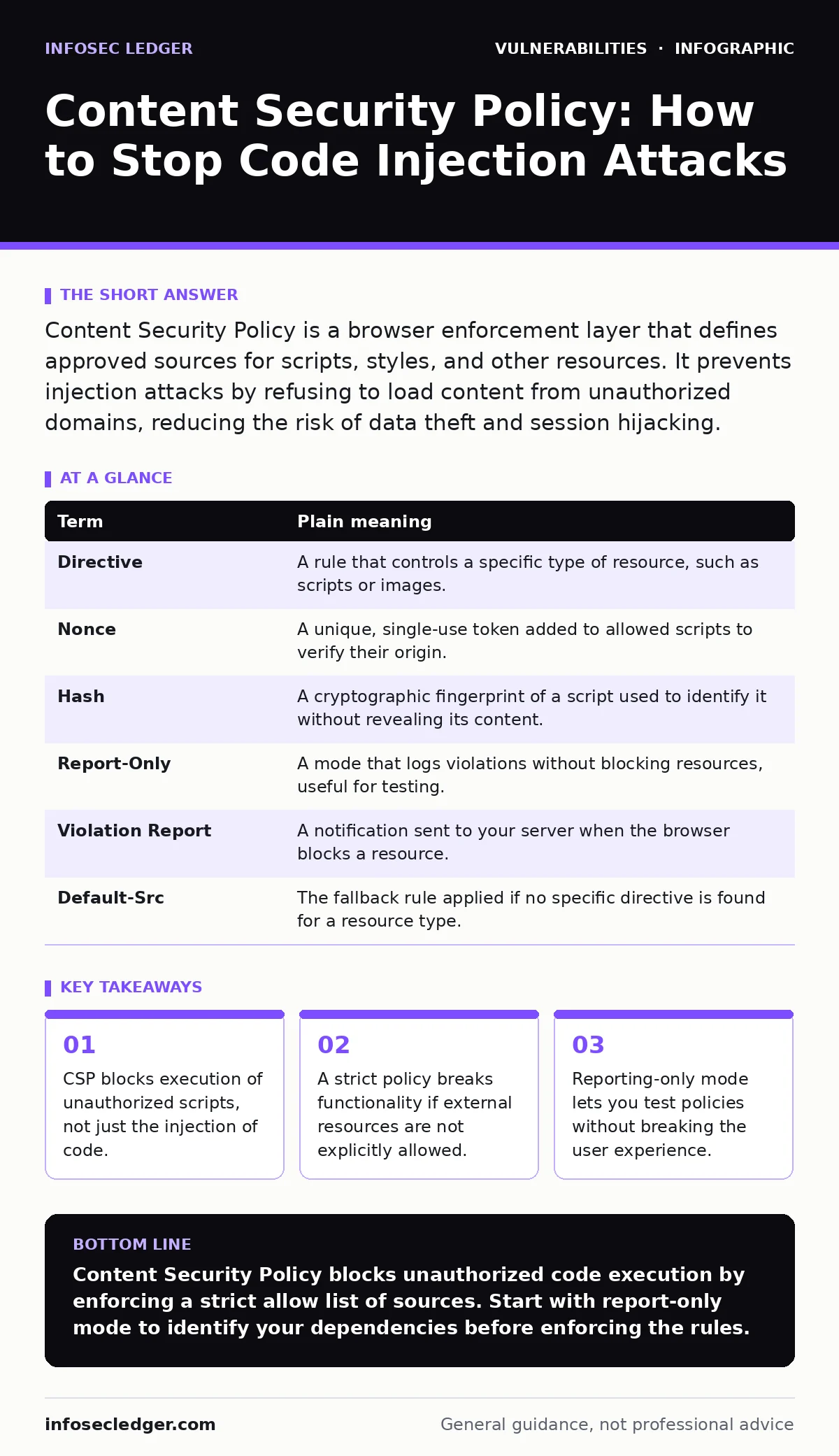
Content Security Policy is a browser enforcement layer that defines approved sources for scripts, styles, and other resources. It prevents injection attacks by refusing to load content from unauthorized domains, reducing the risk of data theft and session hijacking.
The Bouncer at the Club Door
Imagine a nightclub with a strict dress code. The bouncer checks every guest before allowing entry. If someone arrives without the right invitation or wearing prohibited items, they are turned away. This is not about keeping the club empty; it is about ensuring only approved patrons enter.
Content Security Policy works the same way for your website. The browser acts as the bouncer. It checks every piece of code attempting to run on your page. If the code does not come from a source you have explicitly approved, the browser blocks it.
This mechanism stops attackers from injecting malicious scripts into your pages. Even if an attacker manages to insert harmful code into your site, the browser refuses to execute it because the source is not on your whitelist.
Why Default Permissions Fail
Most websites operate with an open-door policy by default. They allow scripts from any source. This convenience invites trouble. Attackers exploit this openness to inject malicious code through vulnerable forms or comments sections.
This injection often leads to cross-site scripting. In this attack, the attacker’s code runs in the visitor’s browser with the same privileges as your site. The attacker can steal session cookies, redirect users to fake login pages, or deface your content.
CSP changes this dynamic. It flips the default from "allow everything" to "block everything unless specified." You must list every domain allowed to send scripts, styles, or images. This forces you to audit your dependencies.
Key Terms and Meanings
Understanding the components of a policy helps you build one that works. Here are the core concepts you will encounter when configuring these headers.
| Term | Plain meaning |
|---|---|
| Directive | A rule that controls a specific type of resource, such as scripts or images. |
| Nonce | A unique, single-use token added to allowed scripts to verify their origin. |
| Hash | A cryptographic fingerprint of a script used to identify it without revealing its content. |
| Report-Only | A mode that logs violations without blocking resources, useful for testing. |
| Violation Report | A notification sent to your server when the browser blocks a resource. |
| Default-Src | The fallback rule applied if no specific directive is found for a resource type. |
The Cost of Strictness
There is a hidden cost to this security. Your website likely relies on third-party services. Analytics tools, comment systems, and payment gateways all load scripts from external domains. If you do not include these domains in your policy, they break.
Imagine the bouncer turns away a delivery driver because he lacks a guest pass. The food never arrives. Similarly, if you block a script from a payment processor, your customers cannot buy anything.
You must balance security with functionality. Listing every third-party domain increases your maintenance burden. If a vendor changes their domain name, your policy must be updated immediately.
This creates a dependency chain. You are now responsible for monitoring the stability and security of every external service you allow. A breach in a third-party service becomes a breach in your policy if you trust its domain blindly.
Nonces Versus Hashes
You have two ways to allow specific scripts without opening the door to all scripts. You can use hashes or nonces.
A hash is a fixed fingerprint of the script’s content. If you change even one character in the script, the hash changes. This is secure but rigid. Any update to your JavaScript requires you to update the policy.
A nonce is a random token generated for each page load. You embed this token in your scripts and in the CSP header. The browser allows any script containing that specific token. This allows for dynamic scripts without updating the policy header manually.
Nonces are more flexible for modern applications. However, they require server-side logic to generate and inject the token. If your server fails to generate a unique nonce for each request, you weaken the protection.
See also: Warning Signs of Insecure Direct Object References (IDOR) in Web Apps · Online Tracking Risks: How Small Firms Lose Data and Regain Control
First Practical Step: Audit Your Sources
You cannot secure what you do not know. The first step is to list every script your website loads. Look at the network tab in your browser’s developer tools. Identify every domain that sends JavaScript to your page.
Create a draft policy that includes only these known domains. Use the default-src directive to block everything else. Add specific directives like script-src to allow your approved script domains.
Test this policy thoroughly. Check that analytics, comments, and checkout flows still work. If something breaks, add that domain to the allow list. This process reveals hidden dependencies you may not have known existed.
Try This Now
- [ ] Enable Content-Security-Policy-Report-Only in your server headers.
- [ ] Set
default-srcto'self'to block all external resources by default. - [ ] Review the violation reports sent to your endpoint to identify missing sources.
Managing Policy Updates
Your policy is not static. You will add new features and services over time. Each addition requires a policy update. If you forget to update the policy, the new feature will fail silently.
Automate the inclusion of known domains if possible. Some frameworks can generate nonces automatically. This reduces the manual effort required to maintain the policy.
Regularly review your violation reports. These reports tell you when the browser blocked something. They can reveal new third-party dependencies or misconfigured resources. Use this data to refine your allow list.
This ongoing maintenance is the price of security. It forces you to keep your supply chain clean. You cannot rely on implicit trust. Every resource must be explicitly approved.
Key takeaways
- CSP blocks execution of unauthorized scripts, not just the injection of code.
- A strict policy breaks functionality if external resources are not explicitly allowed.
- Reporting-only mode lets you test policies without breaking the user experience.
Content Security Policy blocks unauthorized code execution by enforcing a strict allow list of sources. Start with report-only mode to identify your dependencies before enforcing the rules.
Frequently asked questions
Does CSP prevent all web attacks?
No, it primarily mitigates cross-site scripting and data injection. It does not fix vulnerabilities in your server-side code or protect against phishing attacks that do not involve script injection.
Can I use CSP with a Content Delivery Network?
Yes, you must add the CDN’s domain to your `script-src` and `style-src` directives. Failure to do so will block the assets served by the CDN.
What if I don’t control the server headers?
You can use a meta tag in the HTML head of your pages. This method is less flexible and cannot specify report URIs, but it works for basic policies.
How do I handle inline scripts?
Avoid them. If you must use them, use hashes or nonces. Do not use the `unsafe-inline` keyword as it defeats the purpose of the policy.
How this guide was produced: written by the InfoSec Ledger editorial team with AI assistance, checked against the public references listed below, and reviewed when the facts change. See our editorial policy or report an error.