
HTTP Security Headers Best Practices for Web Defense
Most web vulnerabilities stem from browser behavior rather than server flaws, and headers dictate how the browser interprets and restricts your content.
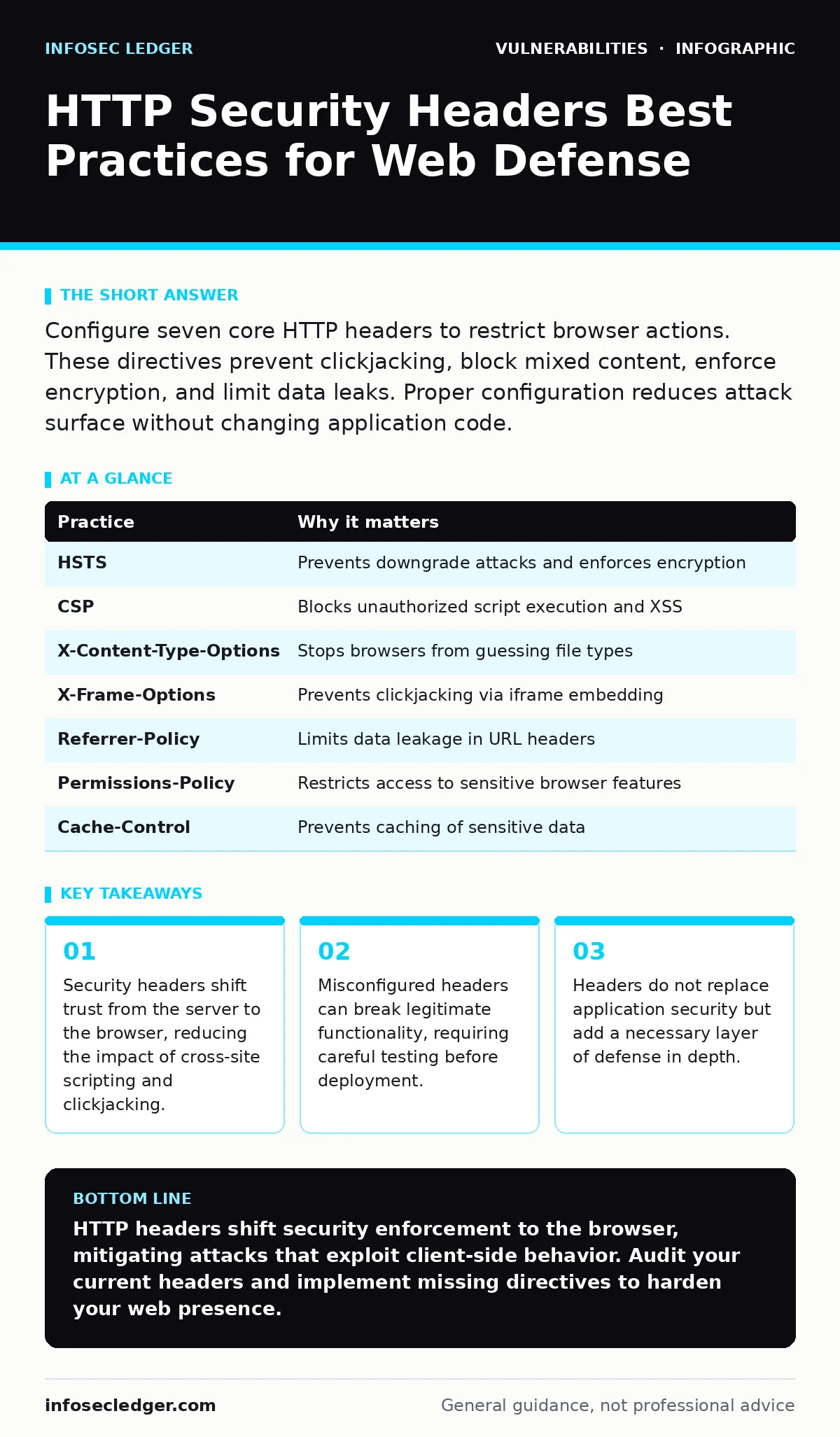
Configure seven core HTTP headers to restrict browser actions. These directives prevent clickjacking, block mixed content, enforce encryption, and limit data leaks. Proper configuration reduces attack surface without changing application code.
Understanding the Browser as an Attack Vector
Web applications often assume the browser is a neutral client. This assumption is dangerous. Modern browsers execute JavaScript, render HTML, and manage cookies. If an attacker injects malicious code, the browser runs it with your site's privileges. HTTP security headers are instructions sent by the server to the browser. They tell the browser how to behave when handling your content. You use them to restrict what the browser is allowed to do.
These headers do not fix code vulnerabilities. They mitigate the impact when a vulnerability is exploited. For example, if a script injection occurs, headers can prevent that script from loading external resources. This limitation reduces the damage an attacker can cause. You must configure these headers on your web server or reverse proxy. The configuration remains static, even as your application code changes.
1. Strict-Transport-Security Enforces Encryption
The Strict-Transport-Security (HSTS) header instructs the browser to only connect to your site over HTTPS. This prevents downgrade attacks where an attacker forces a connection to HTTP. HTTP traffic is unencrypted and visible to anyone on the network. Without HSTS, a user might click an HTTP link and enter credentials into a plaintext form. The browser remembers this preference for a specified duration.
You must enable HSTS on every response, even redirects. If you only send it on HTTPS pages, the initial HTTP request remains vulnerable. Set a long max-age value to ensure browsers remember the rule for extended periods. Include the includeSubDomains directive to protect all subdomains. This ensures that a misconfigured subdomain does not become a weak point.
2. Content-Security-Policy Restricts Resource Loading
Content Security Policy (CSP) is a whitelist mechanism for resources. It tells the browser which origins are allowed to execute scripts, load images, or make requests. By default, browsers allow scripts from any source. This flexibility enables cross-site scripting (XSS) attacks. CSP restricts execution to known, trusted sources. If an attacker injects a script from an external domain, the browser blocks it.
Start with a report-only mode to avoid breaking your site. Generate a nonce or hash for inline scripts. Avoid using the wildcard asterisk for script sources. Specific domains provide better security than broad permissions. Review your CSP regularly as you add new third-party services. A tight CSP significantly reduces the effectiveness of stored and reflected XSS.
3. X-Content-Type-Options Prevents MIME Sniffing
Browsers sometimes ignore the server's declared content type and try to guess it. This process is called MIME sniffing. An attacker can upload a script with a benign file extension, like an image. The server serves it as an image, but the browser guesses it is executable code. The X-Content-Type-Options header with the value "nosniff" stops this guessing. The browser strictly follows the server's declared type.
This header is simple to implement but highly effective. It prevents browsers from executing files that should be treated as data. Always set this header for all responses. It works alongside CSP to provide layered protection against content injection. Even if a script is served with the correct type, CSP blocks execution. Together, they cover different failure modes.
4. X-Frame-Options Stops Clickjacking
Clickjacking involves placing your site inside an invisible iframe on a malicious page. The attacker overlays transparent buttons on your interface. When you click what looks like a harmless button, you are actually interacting with your site. The X-Frame-Options header controls whether your site can be framed. Setting it to DENY prevents all framing. SAMEORIGIN allows framing only by your own domain.
Use DENY if your site does not need to be embedded anywhere. Use SAMEORIGIN if you have legitimate use cases for self-embedding. This header is older but still widely supported. Modern browsers also respect the CSP frame-ancestors directive. Use both for maximum compatibility. Blocking framing prevents session hijacking through UI redress attacks.
5. Referrer-Policy Controls Data Leakage
The Referer header tells the destination server where a request came from. This can leak sensitive information from your URL. If your URL contains session IDs or personal data, the Referer header sends it to third parties. The Referrer-Policy header lets you control this disclosure. You can strip the path, send only the origin, or send nothing.
Set the policy to strict-origin-when-cross-origin. This sends the full URL for same-origin requests but only the origin for cross-origin requests. It balances functionality with privacy. Analytics tools often need the origin to identify traffic sources. Stripping the path prevents leakage of query parameters. This helps comply with privacy expectations without breaking external links.
6. Permissions-Policy Restricts Browser Features
Modern browsers offer powerful features like camera access, geolocation, and microphone usage. Malicious scripts can abuse these features if not restricted. The Permissions-Policy header allows you to specify which features are allowed and on which origins. You can disable geolocation for iframes, for example. This reduces the attack surface for data theft.
Review which features your site actually uses. Disable any feature you do not need explicitly. This is known as the principle of least privilege. For instance, if your site does not use the camera, block it. This prevents any injected script from accessing the camera. It adds a layer of protection against privacy breaches.
7. Cache-Control Prevents Stale Data
Sensitive data should never be cached by browsers or intermediate proxies. If a response containing a token is cached, another user could retrieve it. The Cache-Control header with no-store instructs browsers and proxies not to store the response. It ensures every request fetches fresh data from the server. This is critical for pages that display personal information.
Apply this header to all authenticated responses. It also applies to API endpoints returning sensitive data. Without this, a user logging into a shared computer might leave tokens in the browser cache. The next user could access those tokens. Combining this with HSTS ensures secure, fresh connections. It mitigates risks associated with shared environments.
| Practice | Why it matters |
|---|---|
| HSTS | Prevents downgrade attacks and enforces encryption |
| CSP | Blocks unauthorized script execution and XSS |
| X-Content-Type-Options | Stops browsers from guessing file types |
| X-Frame-Options | Prevents clickjacking via iframe embedding |
| Referrer-Policy | Limits data leakage in URL headers |
| Permissions-Policy | Restricts access to sensitive browser features |
| Cache-Control | Prevents caching of sensitive data |
Testing and Maintenance
Configuring these headers requires testing. A misconfigured CSP can break legitimate functionality. A strict HSTS policy can lock users out if your certificate fails. Use browser developer tools to inspect headers. Verify that each header is present and correctly formatted. Test on multiple browsers to ensure compatibility.
Headers are not a substitute for secure coding. They do not prevent SQL injection or insecure direct object references (IDOR). They mitigate the impact of other vulnerabilities. Regularly review your header configuration. Update it as your application evolves. Treat headers as part of your overall security posture. See our guide on Content Security Policy for deeper implementation details. Also review change management for security patches to ensure server updates do not reset your configurations.
Key takeaways
- Security headers shift trust from the server to the browser, reducing the impact of cross-site scripting and clickjacking.
- Misconfigured headers can break legitimate functionality, requiring careful testing before deployment.
- Headers do not replace application security but add a necessary layer of defense in depth.
HTTP headers shift security enforcement to the browser, mitigating attacks that exploit client-side behavior. Audit your current headers and implement missing directives to harden your web presence.
Frequently asked questions
Do security headers replace the need for input validation?
No, headers mitigate the impact of vulnerabilities but do not prevent them. Input validation remains necessary to stop injection attacks at the source.
Can security headers slow down my website?
Properly configured headers have negligible performance impact. Some policies, like complex CSP, may require additional server processing but generally do not affect load times.
How this guide was produced: written by the InfoSec Ledger editorial team with AI assistance, checked against the public references listed below, and reviewed when the facts change. See our editorial policy or report an error.